Trusted by leading retail brands

Ashley Stewart logo
Steve Madden logo
ADOC logo
Gorjana logo
Mephisto logo
Dolce Vita logo
Betsey Johnson logo
ATM Anthony Thomas Melillo logo
Kurt Geiger logo
KREWE logo
Original Penguin logo
Perry Ellis logo
Cubavera logo
Cariuma logo
New Era Cap logo
ThirdLove logo
E-bikeshop logo

Turn OMS data into clear next steps

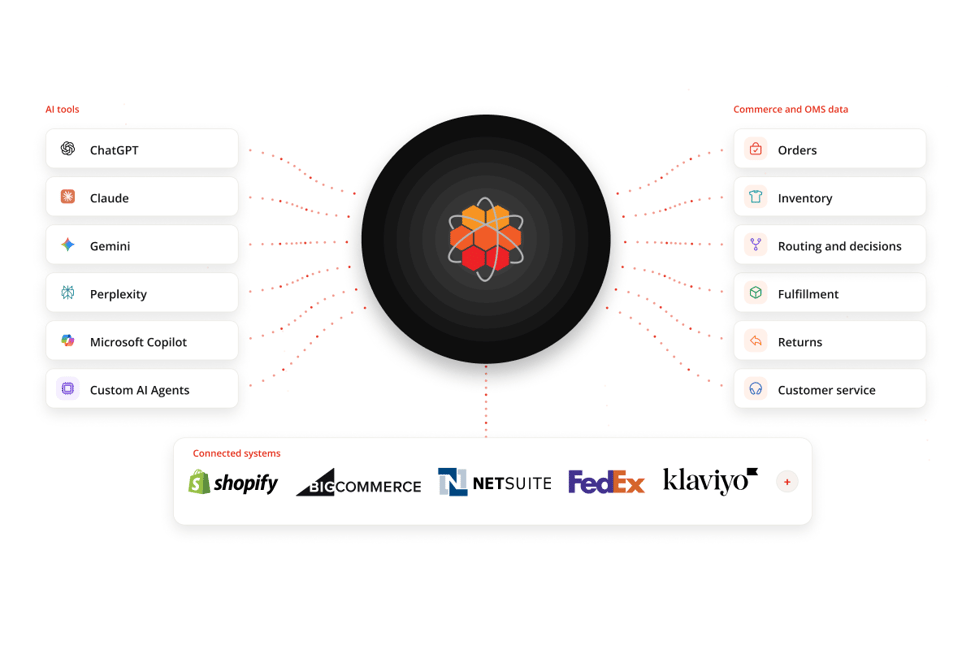
HotWax MCP Server gives AI tools the order state, inventory promise, routing run, reservation, task, and return history needed to explain what happened and what to do next.

Ask operations question

Which work needs attention before cutoff?

Read the facts in HotWax

Status, Online ATP, reservations, routing run, facility capacity, tasks, and returns.

Show why it happened

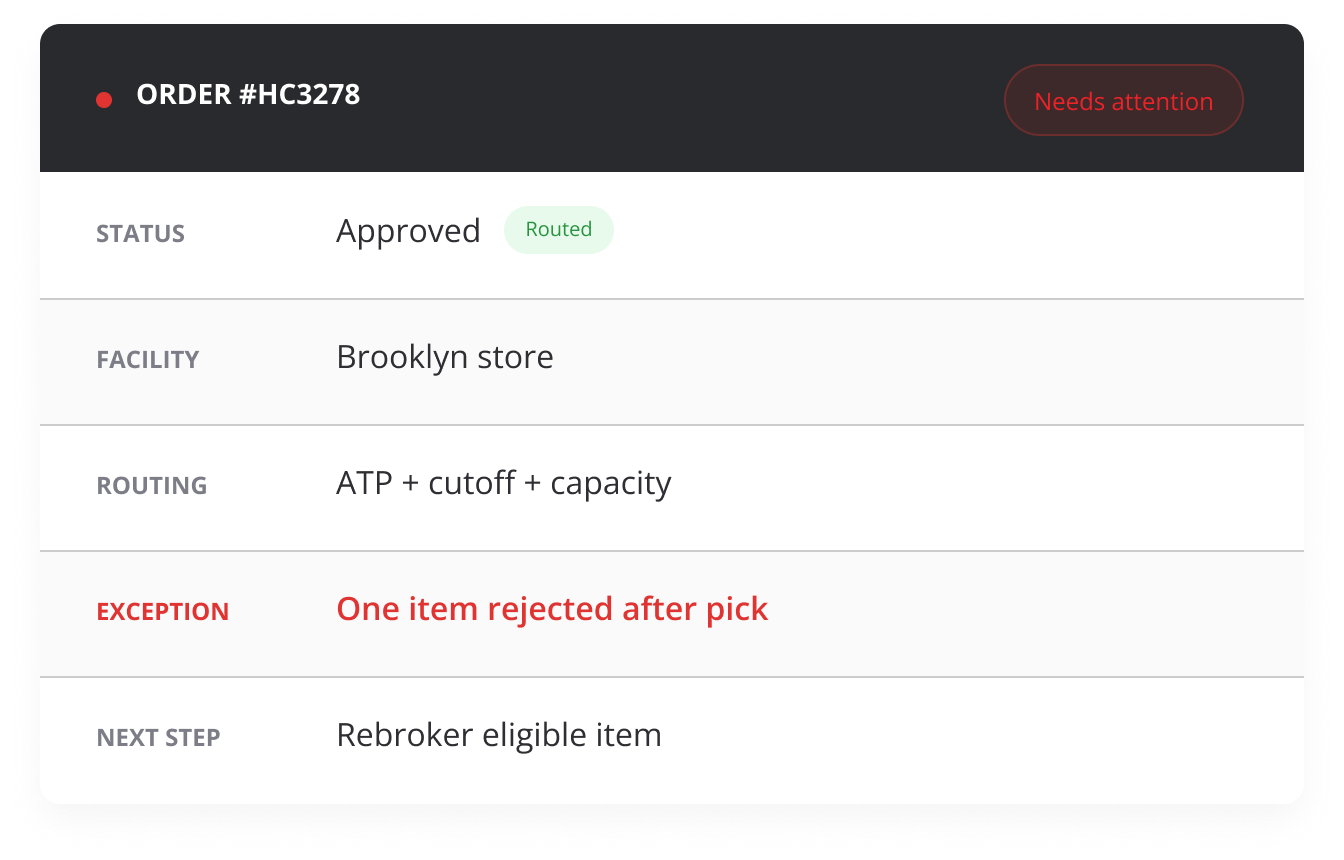
The item was short-picked at the assigned store.

Point to the next step

Rebroker the item, review the hold, or move fulfillment to another eligible facility.

Show the workflow behind each status

Order Detail Card displaying a live order status, facility routing, and short-pick exceptions.

Order state

Order status, ship groups, routing decision, and fulfillment progress.

Inventory promise

Online ATP, QOH, reservations, safety stock, thresholds, and eligible facilities.

Exception record

Open tasks, rejection reason, assignee, source reference, and resolution notes.

Service view

Pickup readiness, shipment tracking, return progress and cancellation status.

See HotWax MCP Server in action

Test customer service, inventory, routing, fulfillment, and returns prompts against the data HotWax already uses to broker demand and manage exceptions.

Give each team the OMS details they need

Customer service icon for the HotWax Commerce MCP server

Customer service

Answer WISMO, pickup, return, and cancellation questions with order status, location, tracking, and open task reasons.

Fulfillment operations icon for the HotWax Commerce MCP server

Fulfillment team

Find work blocked by missed cutoffs, short picks, store rejections, split risk, or tasks waiting on an owner.

Inventory teams icon for the HotWax Commerce MCP server

Inventory team

Review Online ATP, QOH, reservations, safety stock, facility eligibility, and low-stock pressure before channel sync.

Questions teams can ask HotWax

Control what AI can read, suggest, and trigger

Use MCP to expose the right OMS data for each workflow. Keep action tools limited to approved use cases, such as rebrokering, address review, cancellation, returns, or task updates.

Read first

Start with order lookup, inventory checks, routing explanation, exception review, and returns status.

Limit by workflow

Give each AI tool access only to the orders, ATP, tasks, returns, and service records it needs.

Approve actions

Keep write actions under review until teams are ready to let AI tools trigger workflow updates.

Build AI support from real OMS workflows

Connect icon for the HotWax Commerce MCP server

Connect

Expose approved HotWax data through MCP-compatible tools.

Pilot icon for the HotWax Commerce MCP server

Pilot

Start with WISMO, inventory checks, routing explanation, returns status, and open task review.

Monitor icon for the HotWax Commerce MCP server

Monitor

Track repeated exceptions, cutoff risk, rejection reasons, and low ATP before expanding access.

Expand icon for the HotWax Commerce MCP server

Expand

Add approved actions for rebrokering, task updates, returns, and customer-service workflows.

Bring HotWax OMS data into your AI tools

Book a demo to see how HotWax MCP Server helps teams answer customers, review inventory, explain routing, manage fulfillment work, and recover exceptions from live OMS data.