

Headquarters
175 S Main St Suite 1310,
Salt Lake City, UT 84111


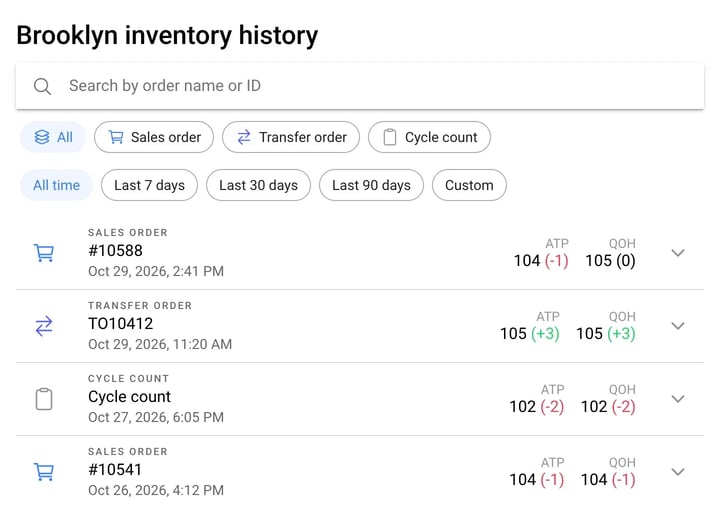
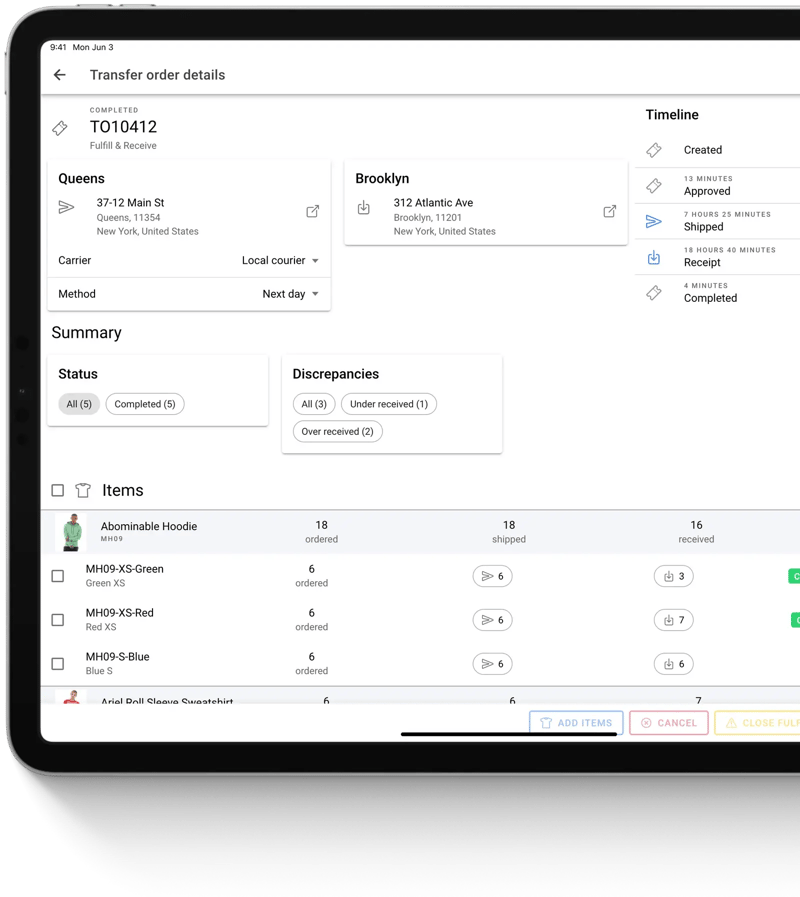
Queens ships 6 sweatshirts on transfer order TO10412 and Brooklyn receives them; stock moves at both stores. Brooklyn counts backstock, head office reviews the count and accepts a variance of minus 1, and Brooklyn's stock updates to 10.
Receive exactly what arrived.
Know what’s on every shelf.
Show the right stock online.
Store receiving
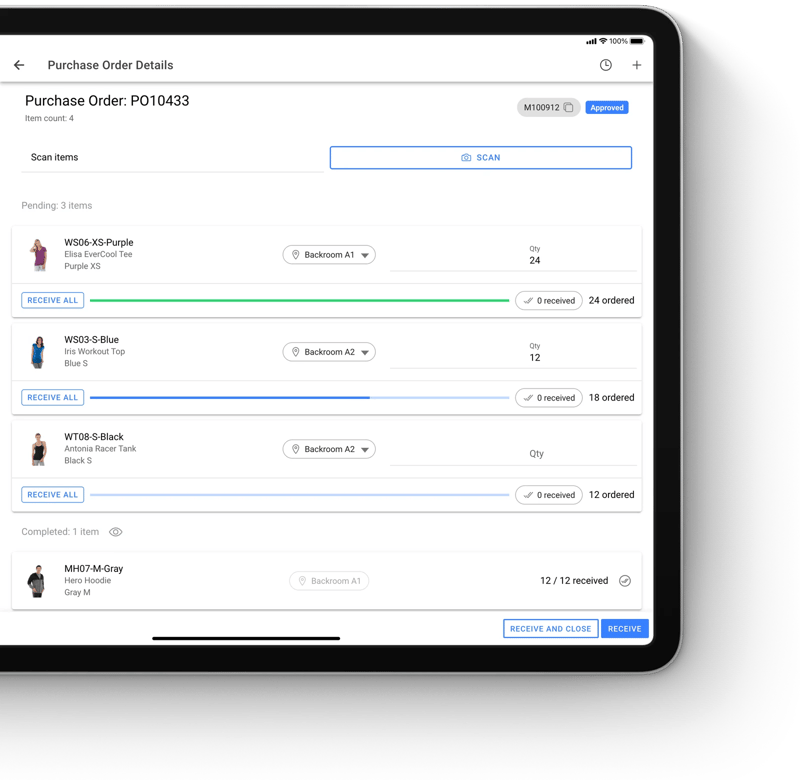
Stores can receive purchase orders directly from vendors, too. Purchase orders from your ERP or WMS sync to HotWax Commerce, so store teams receive against the right PO. As they receive, associates record where each item is put away, so pickers find it fast for online orders.
Store receiving
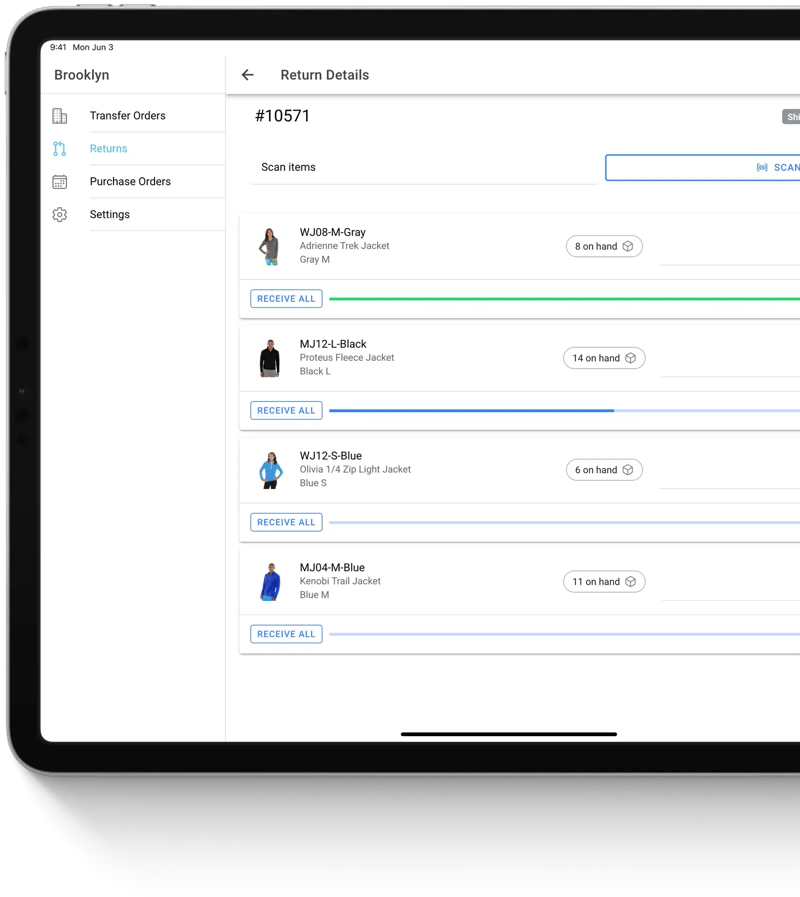
When stores accept returns, the returned items need to be received and recorded so they can be sold again online. Store associates look up incoming returns in HotWax Commerce and restock returned items in a few steps, adding them back to the store’s inventory.
Store receiving
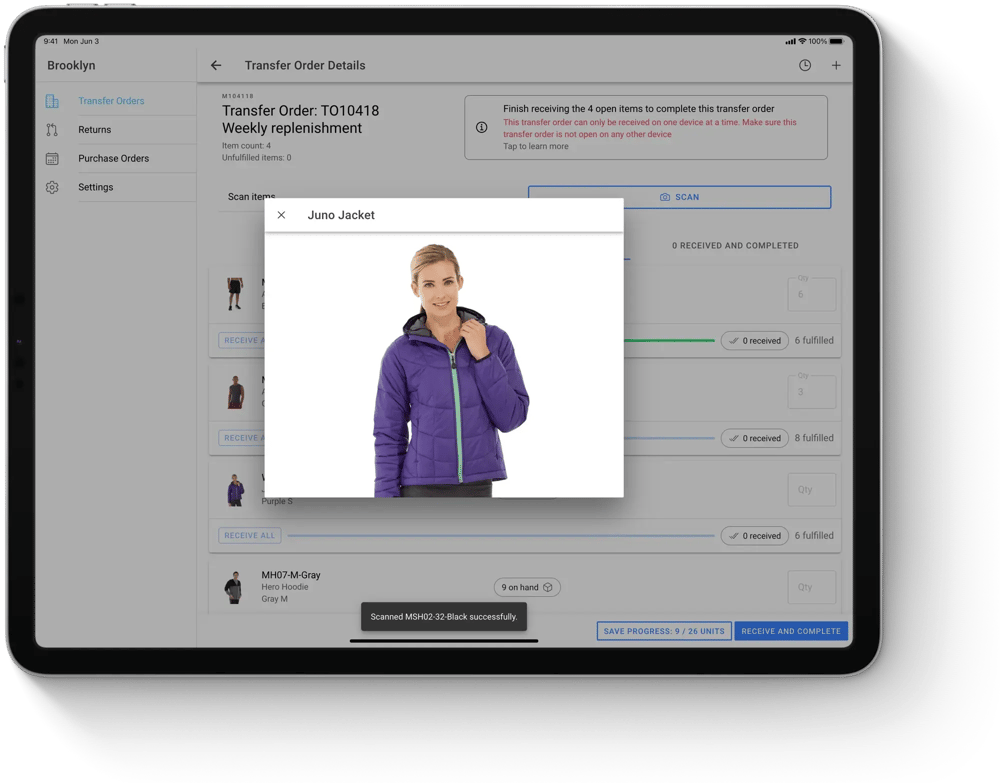
Store associates scan barcodes to verify each item as it is received. When a barcode is missing, enlarged product images help them identify the item quickly. Store managers can require scanning for every item, so counts are right the first time.
Inventory updates
Once items are received against a transfer, purchase order, or return, HotWax Commerce updates inventory at that store location automatically. The new count syncs to eCommerce in real time, so received stock is available to sell online right away.
Receiving discrepancies
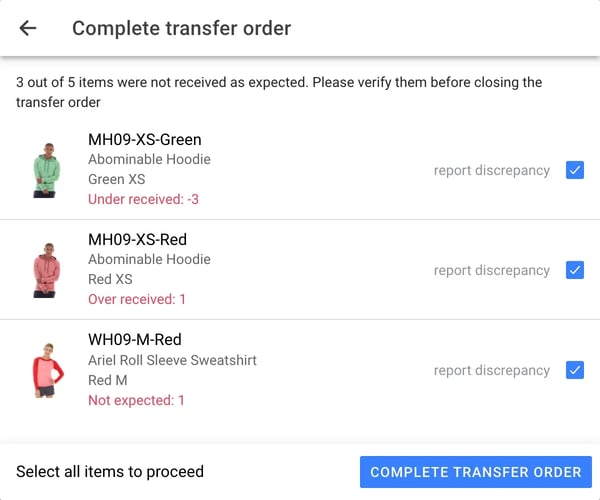
Shipments rarely match the paperwork exactly. Before a store closes a transfer order, HotWax Commerce lists every item that came in short, over, or wasn’t on the order, and the associate confirms each one. Items that weren’t expected are added to the order in a few taps. Every difference is recorded in your ERP, and a discrepancy report shows which stores have the biggest gaps.
Store transfers
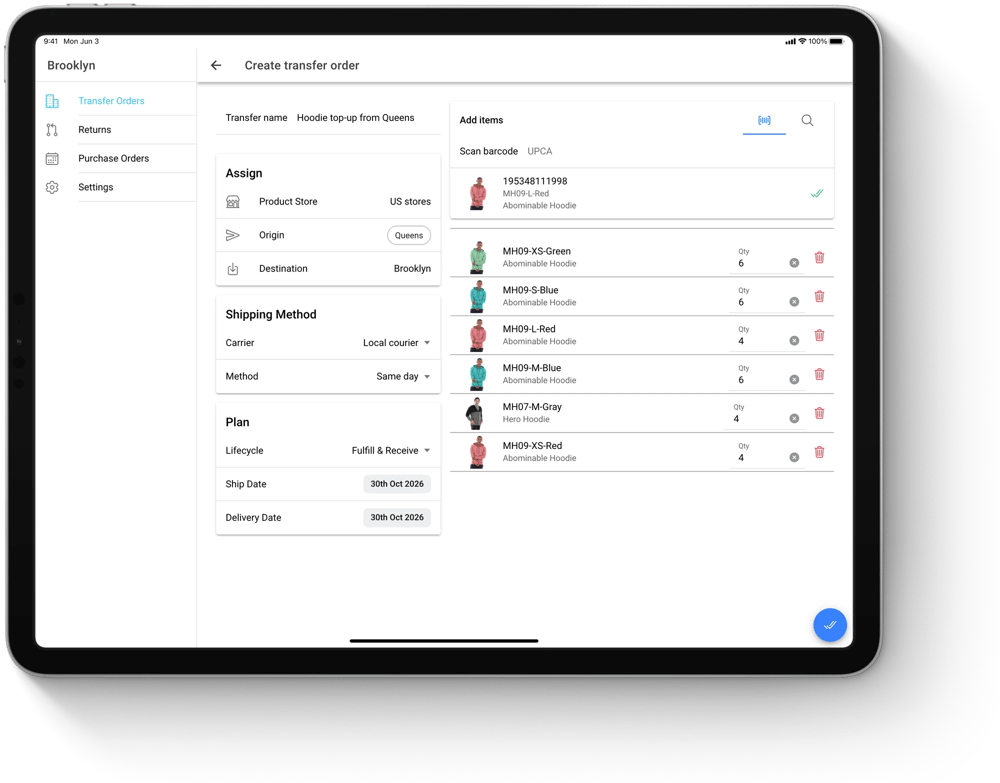
Store teams can start a transfer order in HotWax Commerce, choosing the store or warehouse to send it from. Once it’s approved, the stock is held at the source, so it isn’t sold twice while it’s on the way.
Store transfers
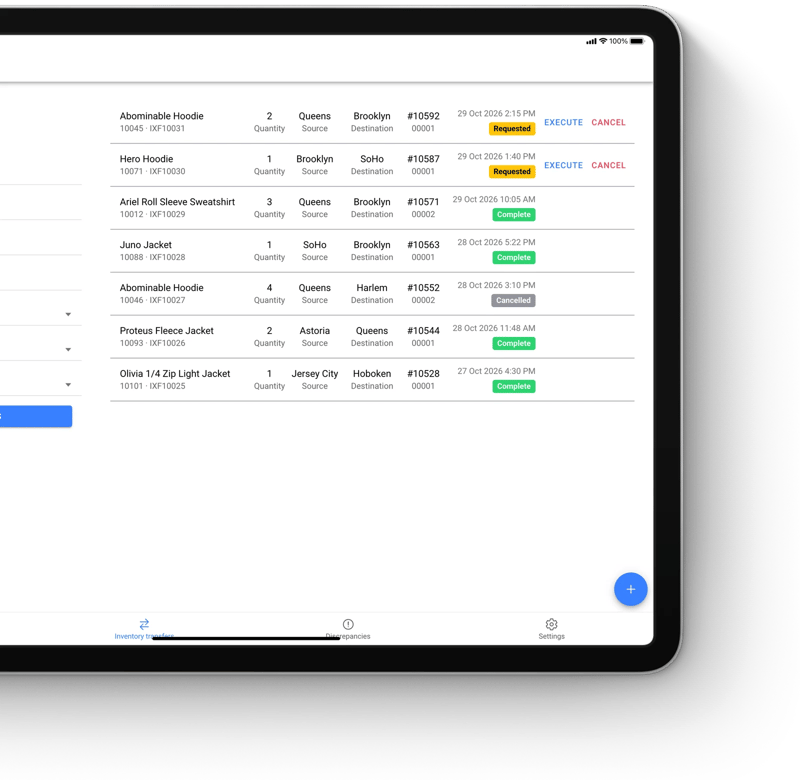
When stock needs to move on paper only, a transfer request moves it from one location’s record to another’s. Nothing changes until someone executes it, and both locations update together.
Store transfers
Operations teams see each transfer’s status, its timeline, and what was ordered, shipped, and received, item by item. Short, extra, and wrong items show up in one discrepancies view.
Cycle counts and reconciliation
Head office assigns directed cycle counts to each store, and store associates scan items in guided sessions. Items without a barcode are counted by hand in the same session, and every submitted count goes to head office for review.
Backstock count
9:15 AM 2nd Nov 2026
6:00 PM 3rd Nov 2026
10:30 AM 3rd Nov 2026
Items you scan or count will show on this list. Focus your scanner on the input field to begin.
Directed Count
Tops Back stock
Created by Emily R.
Current Product
Last updated
Products counted
0
0
0
Units counted
0
Units counted
0
0
0
0
Complete session
You’re about to complete this session in the cycle count and won’t be able to edit it again. After all sessions are completed, submit the cycle count for approval from the review cycle count page.
Run a cycle count
Run one real count through HotWax Commerce, click by click, on the screens store teams use.
About a minute. Real screens.
Counted and sent for review.
Brooklyn counted 27 units across 4 products in minutes. The count now goes to head office, where any difference is reviewed before stock changes.
Cycle counts and reconciliation
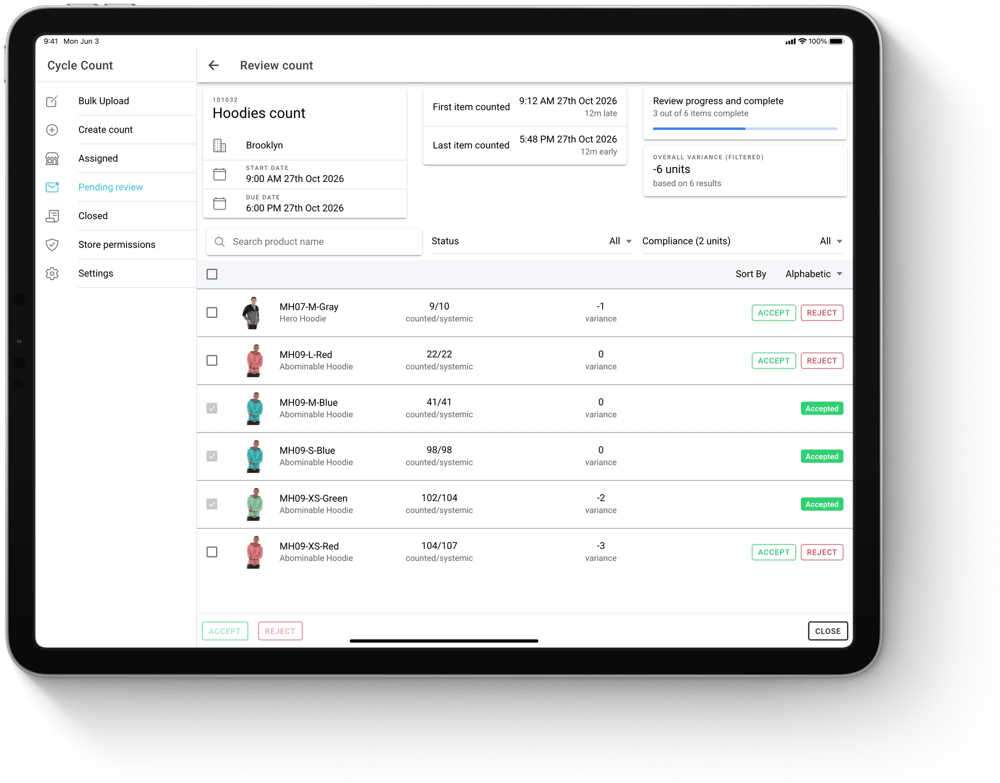
Operations teams review submitted counts and approve, reject, or request a recount. A threshold in units, percent, or cost flags the biggest mismatches, so reviewers start where it matters. Once approved, inventory updates in HotWax Commerce and the latest stock levels sync to eCommerce and the ERP. Only reviewed counts change inventory, so store data stays accurate and auditable. Every decision is recorded with who made it and why.
Store replenishment
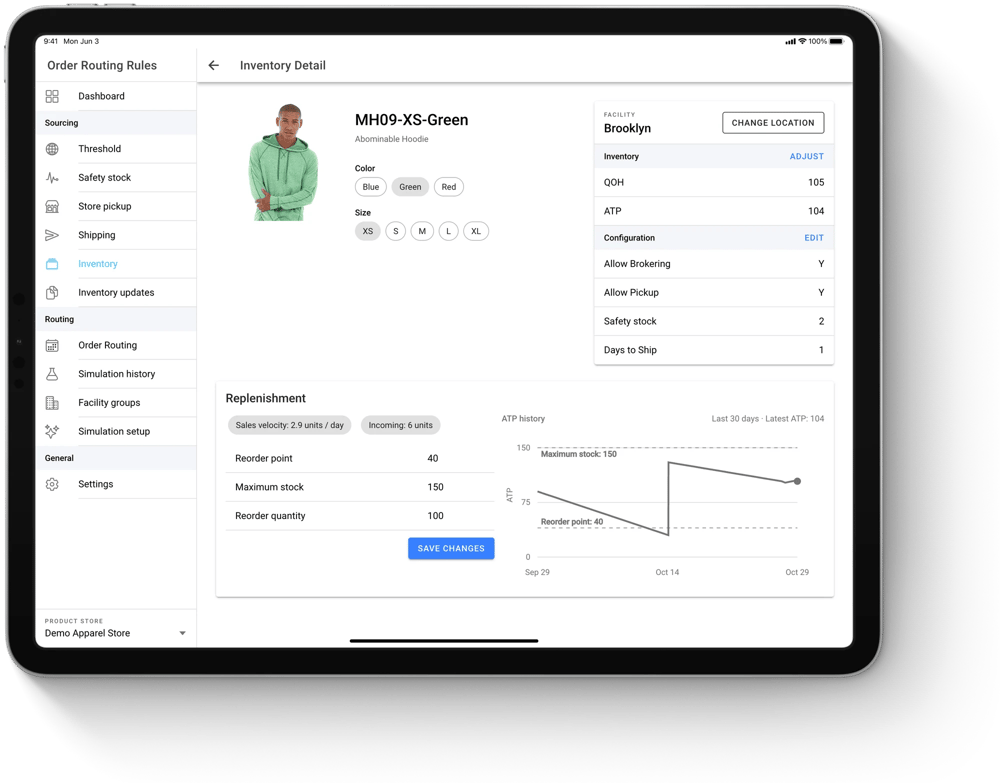
For any product at any store, buyers see how fast it sells, split into in-store sales, store sales shipped to the customer, and online sales, plus what’s already on the way. They set the reorder point, maximum stock, and reorder quantity in the same place, next to 30 days of available stock history.
175 S Main St Suite 1310,
Salt Lake City, UT 84111