
Headquarters
175 S Main St Suite 1310,
Salt Lake City, UT 84111


List Pre-Order Products
Automatically identify which products are available for pre-sell based on the future inventory and promise date to accurately list Pre-Order products across all eCommerce stores.
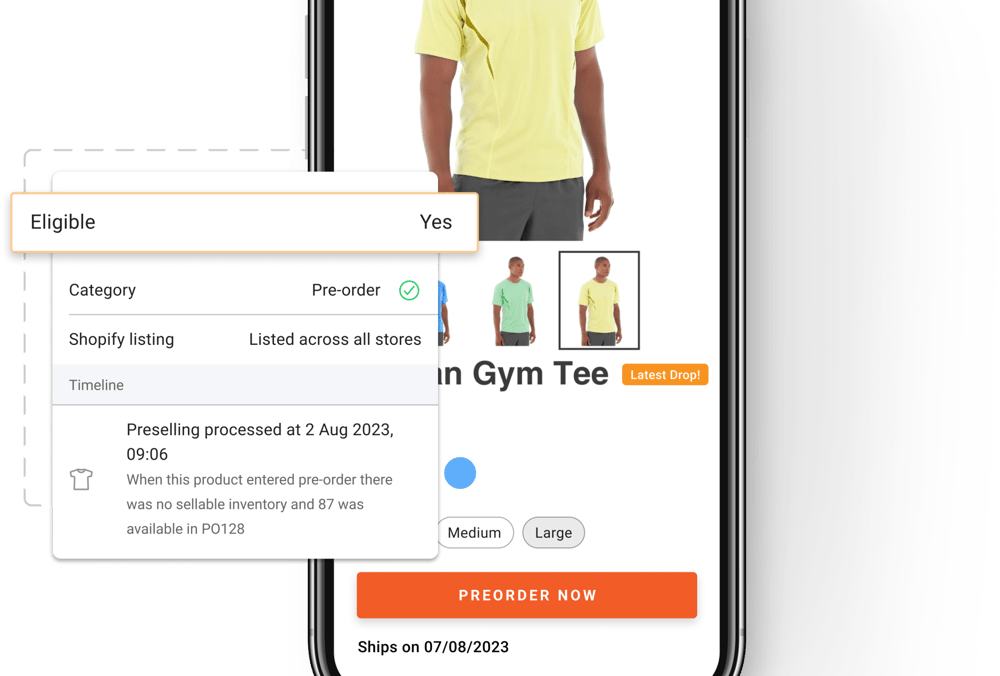
List Pre-Order Products
Future inventory data is automatically fetched by reading POs from procurement systems. Alternatively, merchants also have the flexibility to directly upload their POs using the Import App.
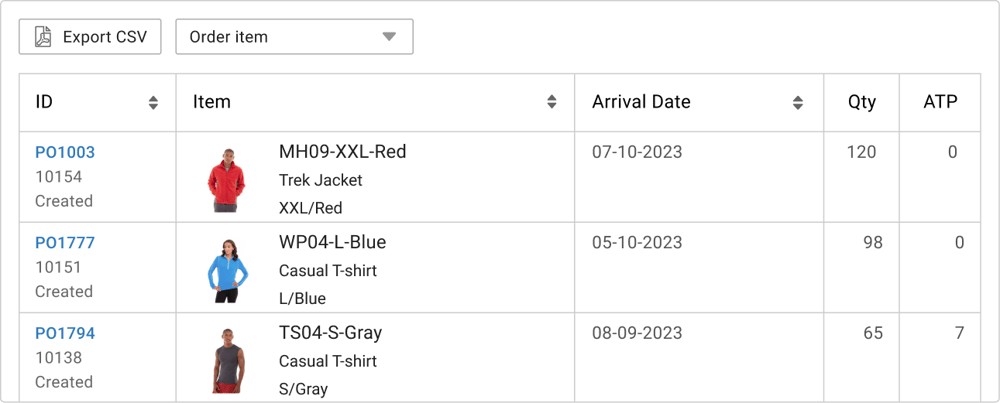
List Pre-Order Products
The Pre-Order catalog dashboard shows all Pre-Order products that have been recently listed on eCommerce so that merchants can quickly spot-check them.
%20(1).png?width=1000&height=482&name=Recently%20listed%20(on)%20(1).png)
eCommerce Pre-Orders Experience
Switching the “Add to Cart" button with the “Pre-Order” button on the product detail page helps customers easily understand that they are placing a Pre-Order.
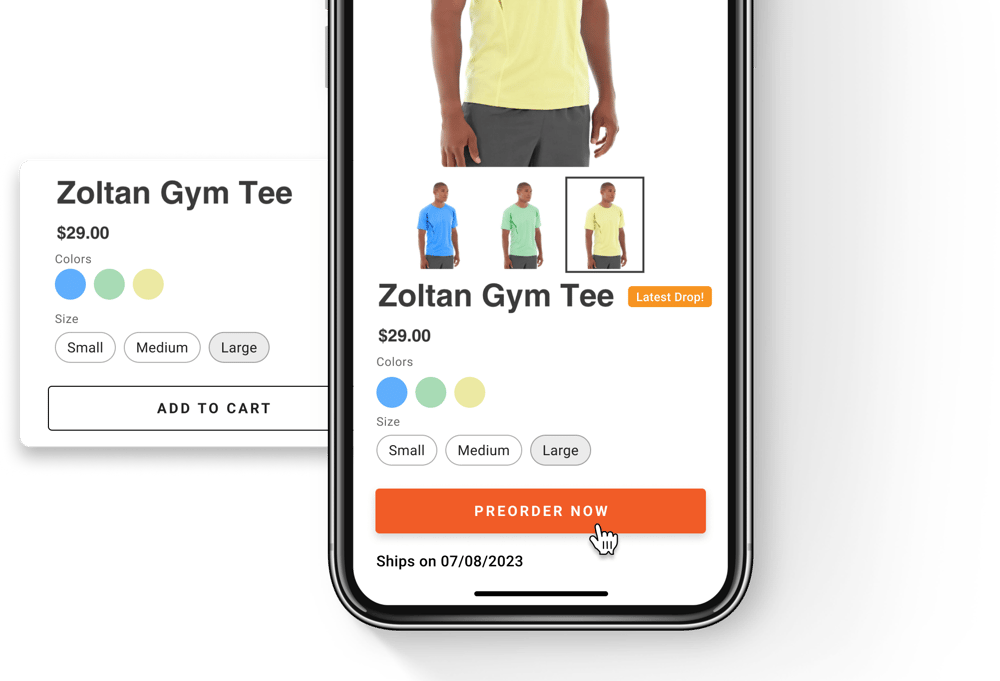
eCommerce Pre-Orders Experience
Displaying the promise date on the product detail page lets customers know exactly when they will be receiving the Pre-Order products they are browsing.
If a PO is unexpectedly delayed or is arriving ahead of the schedule, a new promise date is updated so that customers are aware of the revised schedule prior to placing orders.
If multiple POs exist for the same product, the promise date dynamically adjusts based on the latest PO in the queue so that customers are informed about the accurate delivery timelines.
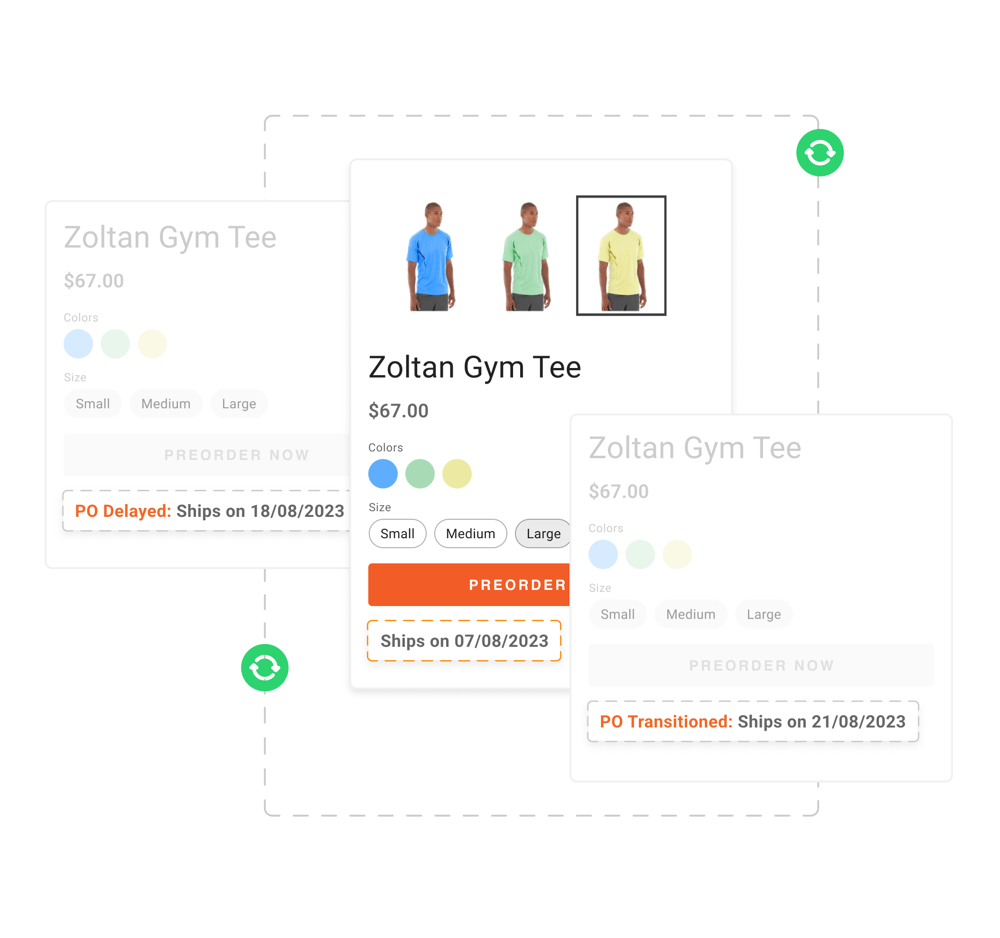
eCommerce Pre-Orders Experience
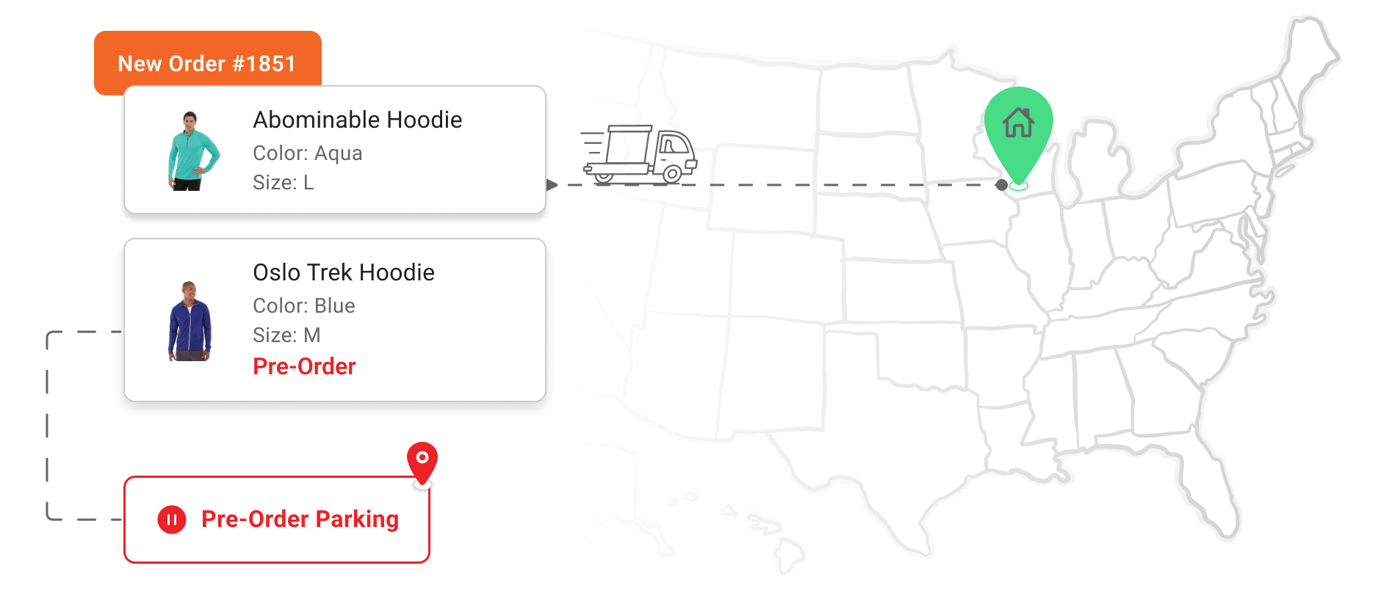
Make shopping a breeze for customers by allowing them to place both in-stock and Pre-Order products in a single order.
Full control on how to handle mixed cart orders lets merchants choose whether they want to split the order, and ship what’s available or ship everything together while holding the entire order.
eCommerce Pre-Orders Experience
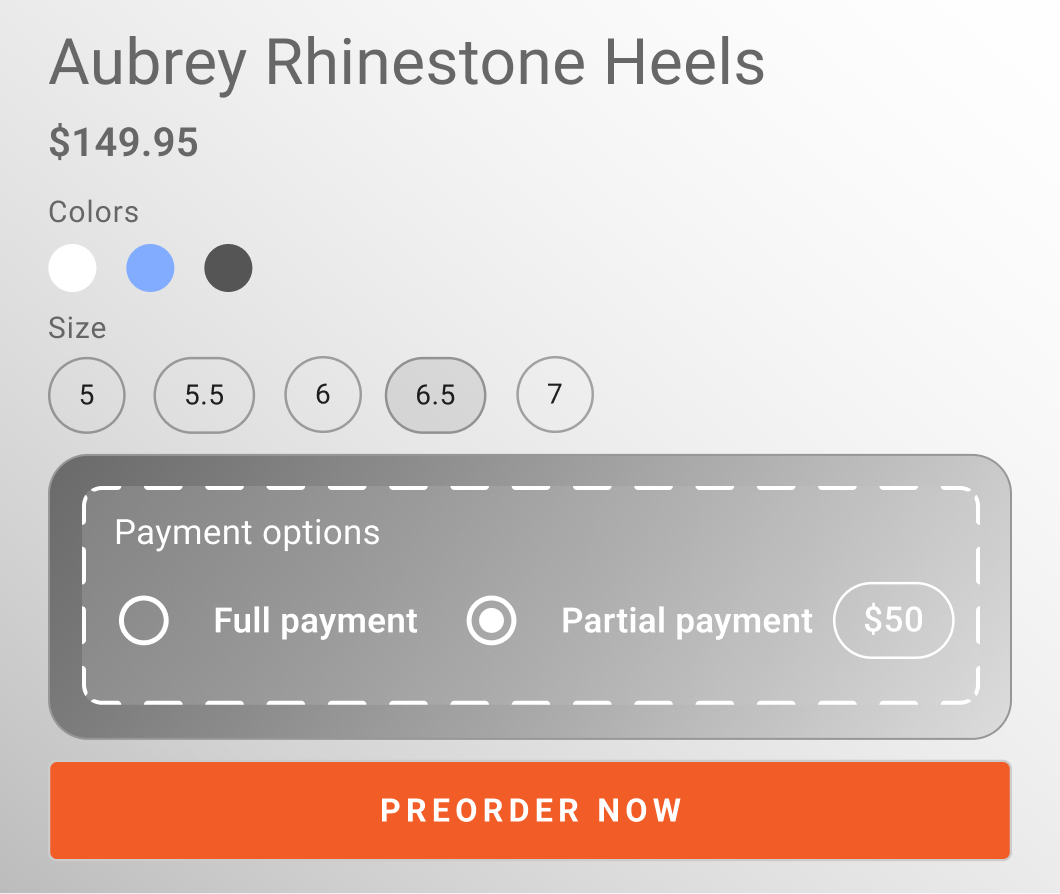
Merchants have the flexibility to accept full or partial payments for Pre-Orders by utilizing additional plugins.
Given that Pre-Orders often involve a longer waiting time, offering customers an option to choose between paying in full upfront or spreading their payments over time lets merchants cater to a wider audience.
eCommerce Pre-Orders Experience
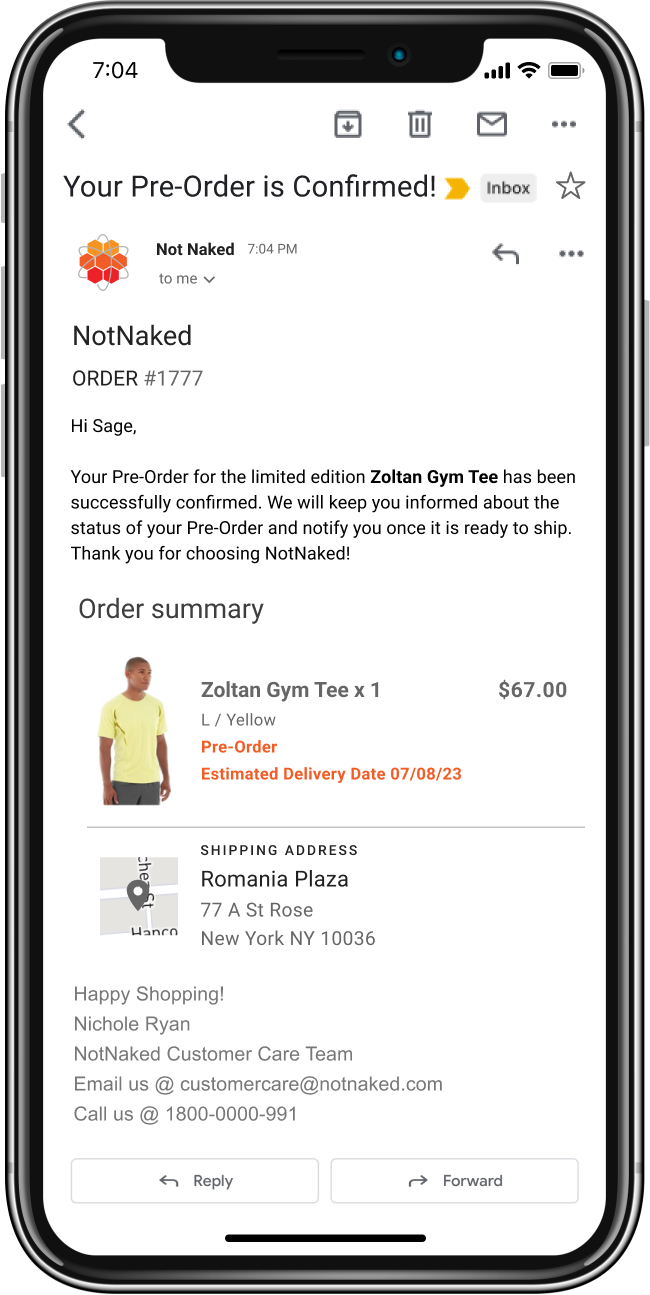
Including promise dates in the Pre-Order confirmation email makes sure that customers are aligned with the order details and delivery estimates.
Manage Pre-Orders
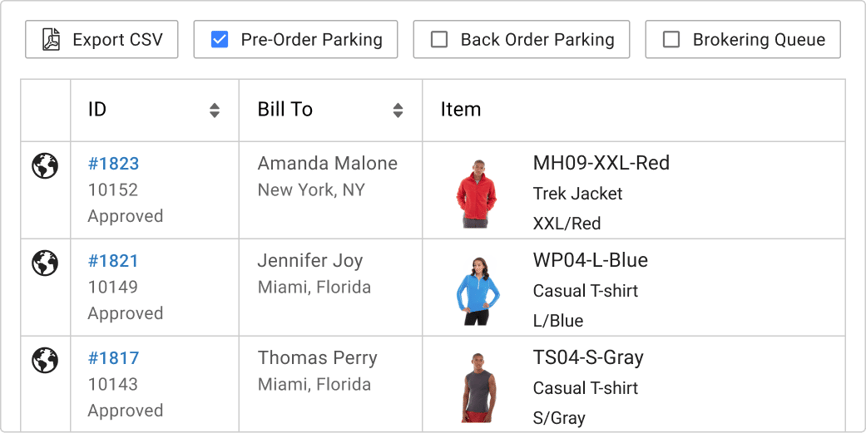
Merchants can use the dedicated Pre-Order parking to easily view their Pre-Orders that are waiting to be fulfilled.
Manage Pre-Orders
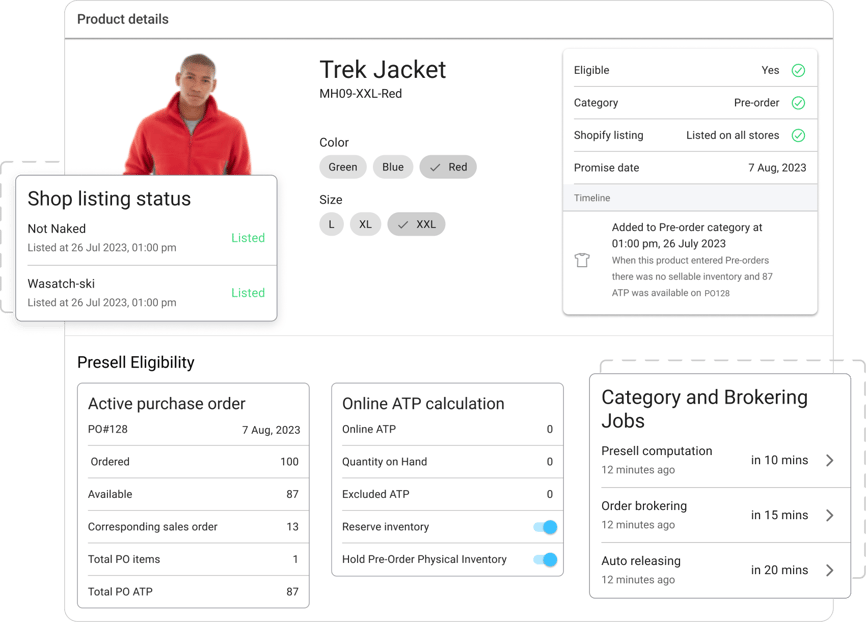
The auditing tool helps make sure that the eligible Pre-Order products are listed across all eCommerce stores, while any products that fail to meet the eligibility criteria are delisted.
Manage Pre-Orders
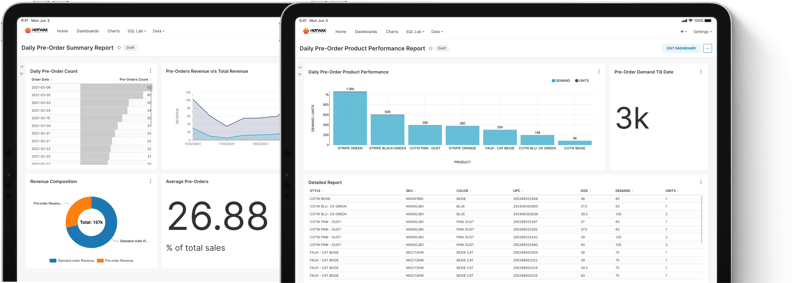
The Pre-Order products performance dashboard gives a comprehensive view of best performing Pre-Order Products and the revenue generated by them each day.
Manage Pre-Orders
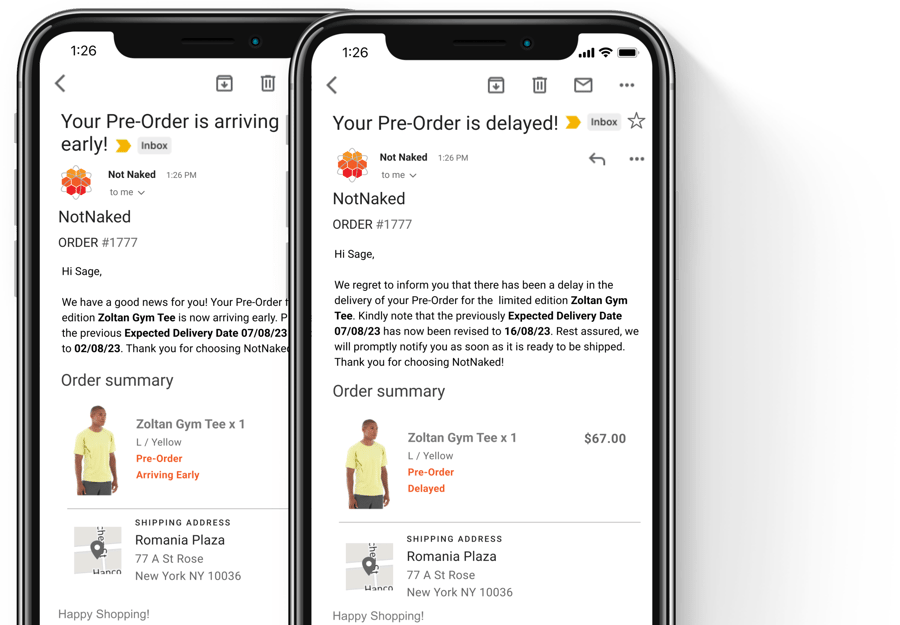
If a PO is unexpectedly delayed or arrives earlier, customers are also promptly notified with the updated delivery schedule.
Being transparent about shipping delays also helps merchants to stay compliant with the FTC’s Pre-Order regulations and retain customers' trust in the Pre-Order experience.
Manage Pre-Orders
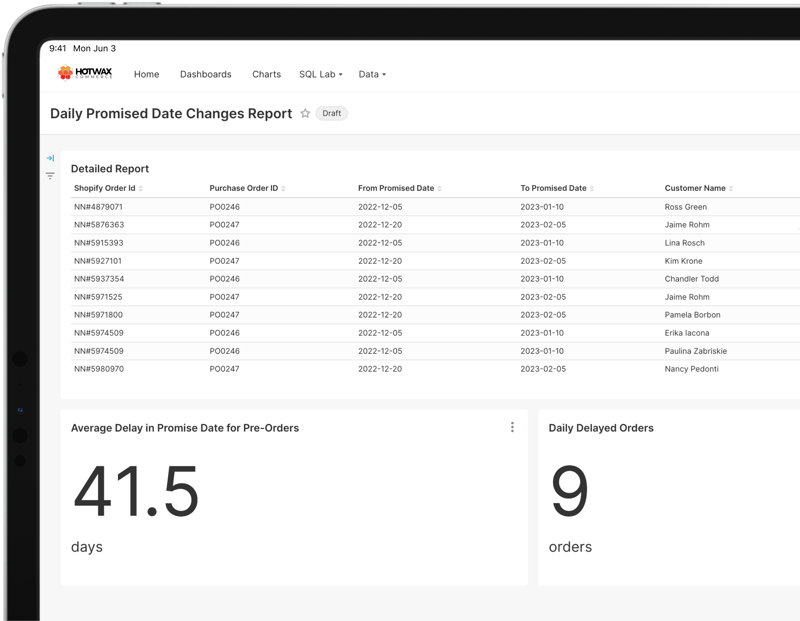
The promise date dashboard presents all the date changes made for previously accepted Pre-Orders so that merchants can verify if the updated schedule is communicated to customers or not.
Delist Pre-Order Products
Once Pre-Orders are captured on the entire future inventory, the product is automatically delisted and the “Pre-Order” button switches to the “Out of Stock” button on the product detail page.
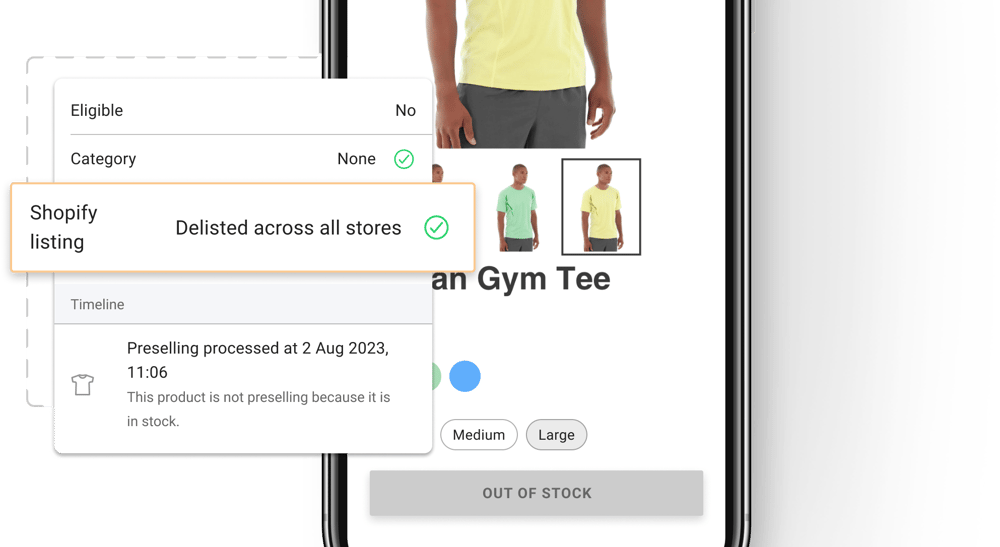
Delist Pre-Order Products
The Pre-Order catalog dashboard shows all Pre-Order products that have been recently delisted on eCommerce so that merchants can recheck them.
Release Pre-Orders
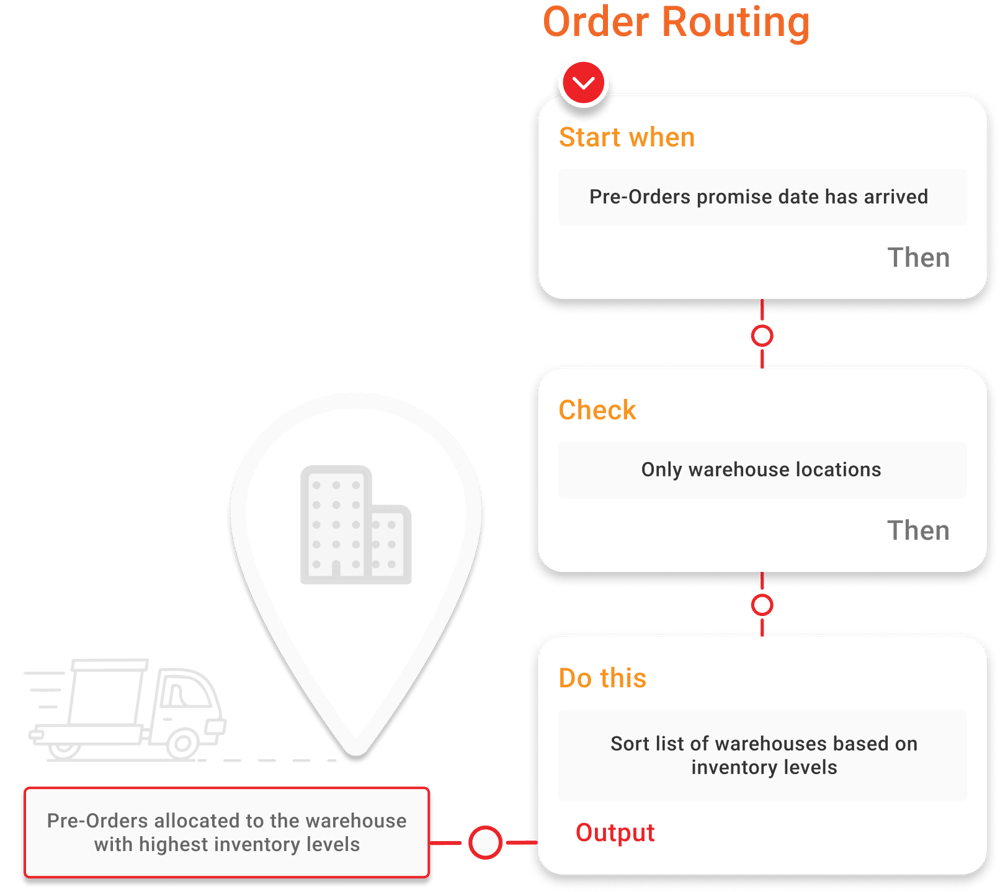
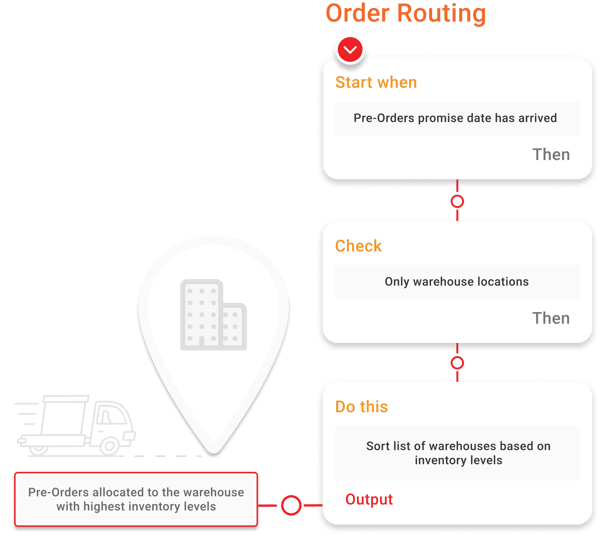
Custom Pre-Order rules can be configured in brokering so that fulfillment locations assigned with auto releasing align with merchants’ unique Pre-Order fulfillment strategies for different seasons.
To make sure Pre-Orders do not deplete stores’ inventory, merchants can choose “Warehouse” as the facility type in their custom routing logic so that in-store inventory can be exclusively retained for walk-ins.
Release Pre-Orders
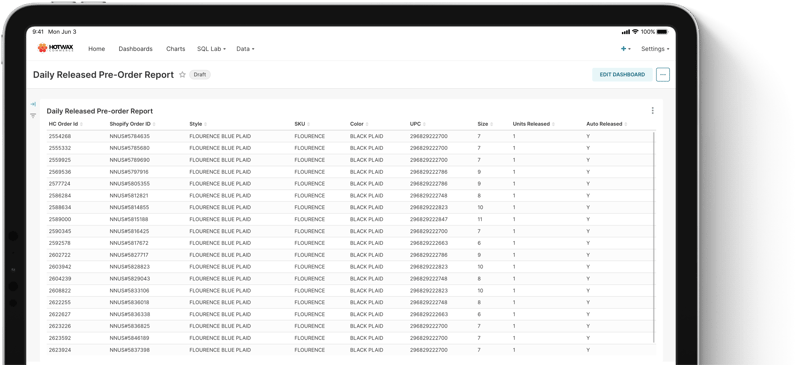
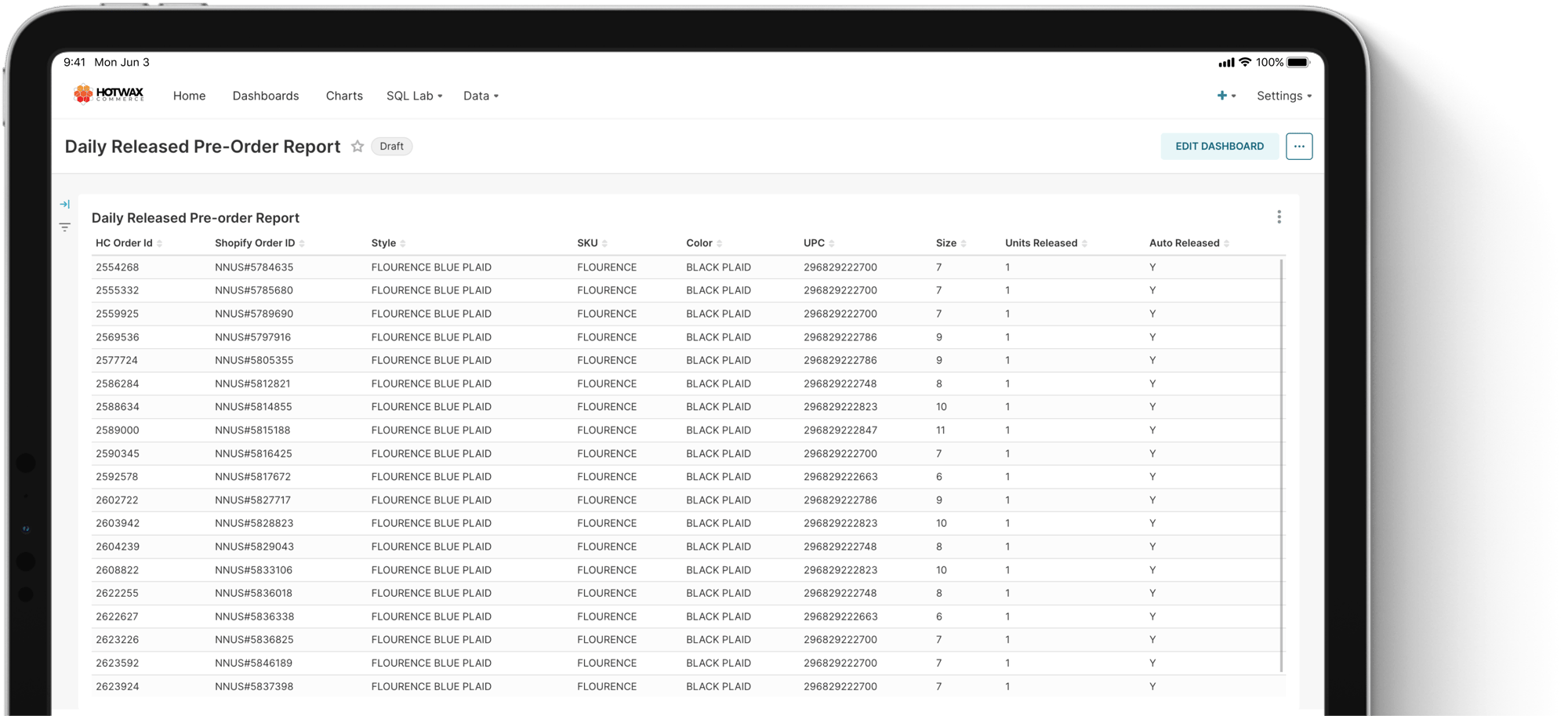
The released Pre-Orders dashboard gives a holistic view of all Pre-Orders that have been automatically released in a day.
Release Pre-Orders
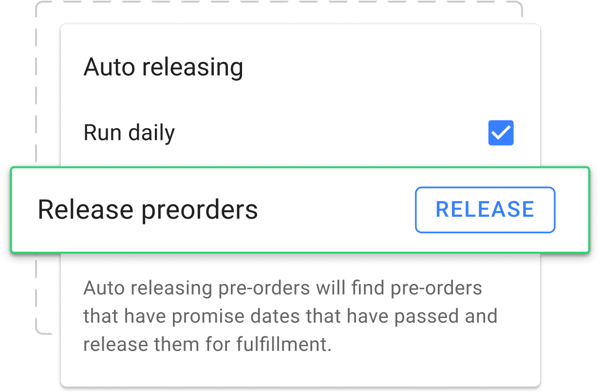
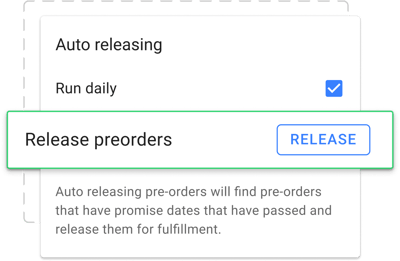
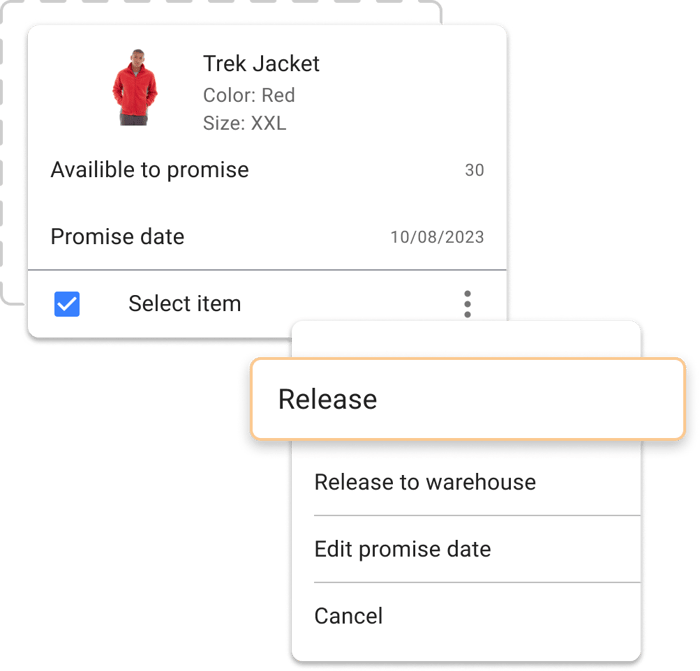
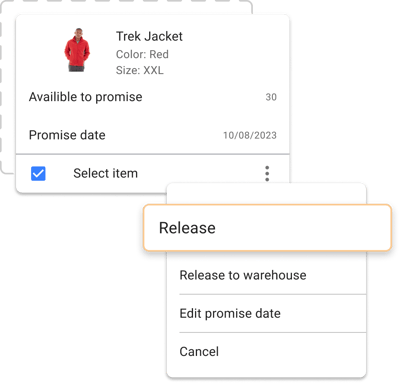
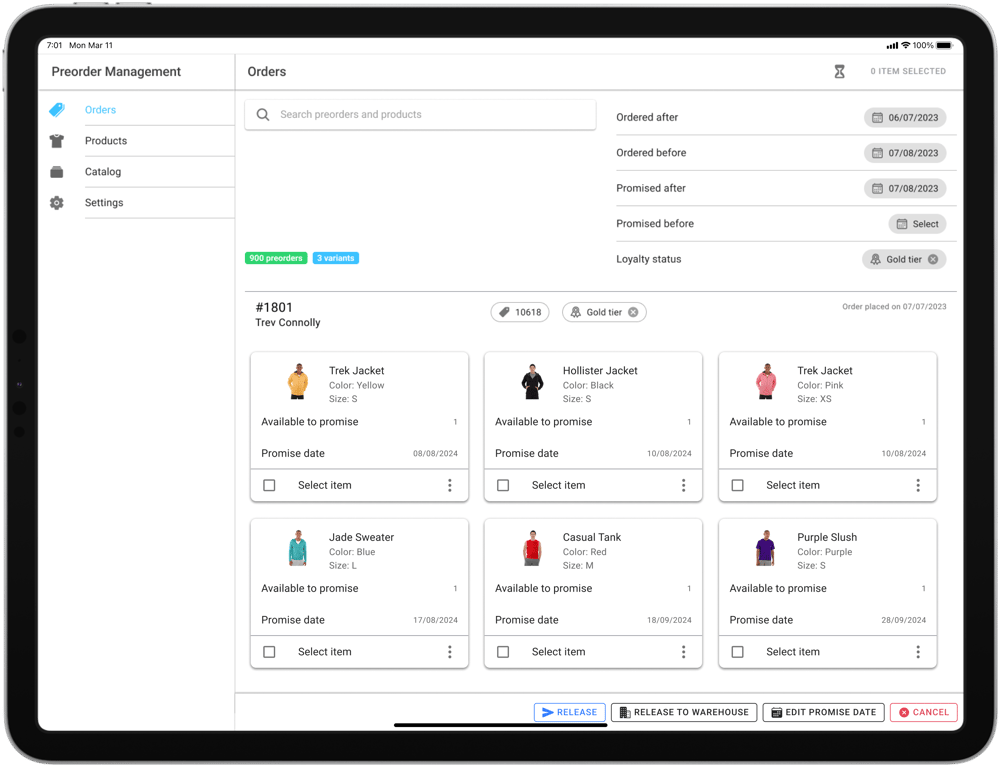
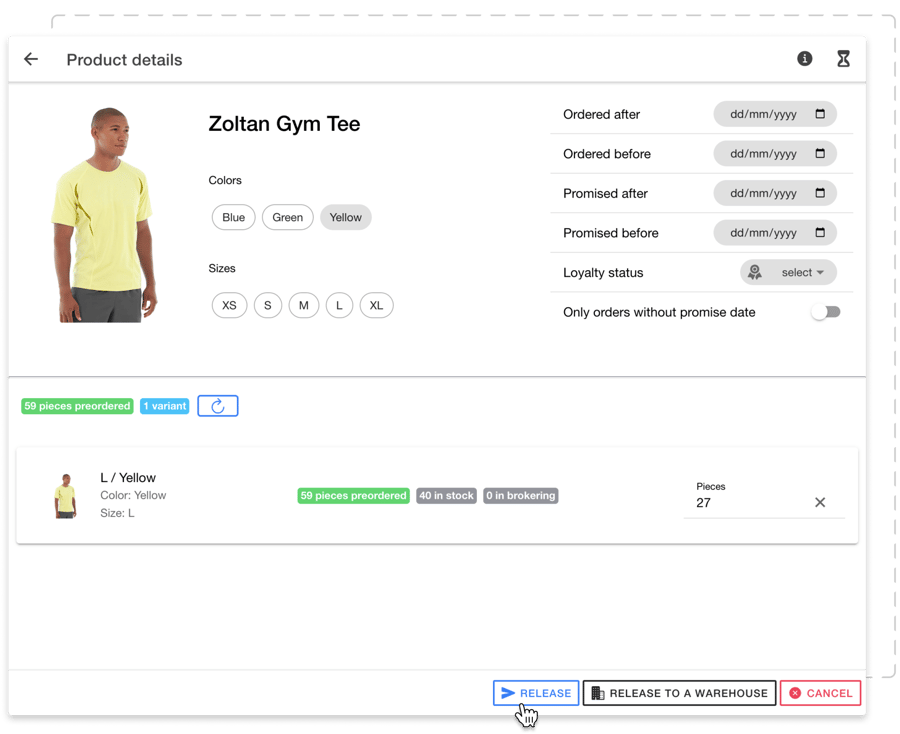
The dedicated Preorder Management App offers granular control over releasing Pre-Orders based on their order date, promised date, and inventory availability.
Release Pre-Orders
By checking total captured Pre-Orders on specific product styles, inventory allocation between brick-and-mortar stores and online channels can be balanced so that newly launched products are reserved for both walk-in and online customers.
Release Pre-Orders
If customers have any special requests pertaining to early delivery, merchants have the ability to release specific Pre-Orders ahead of schedule.
Release Pre-Orders
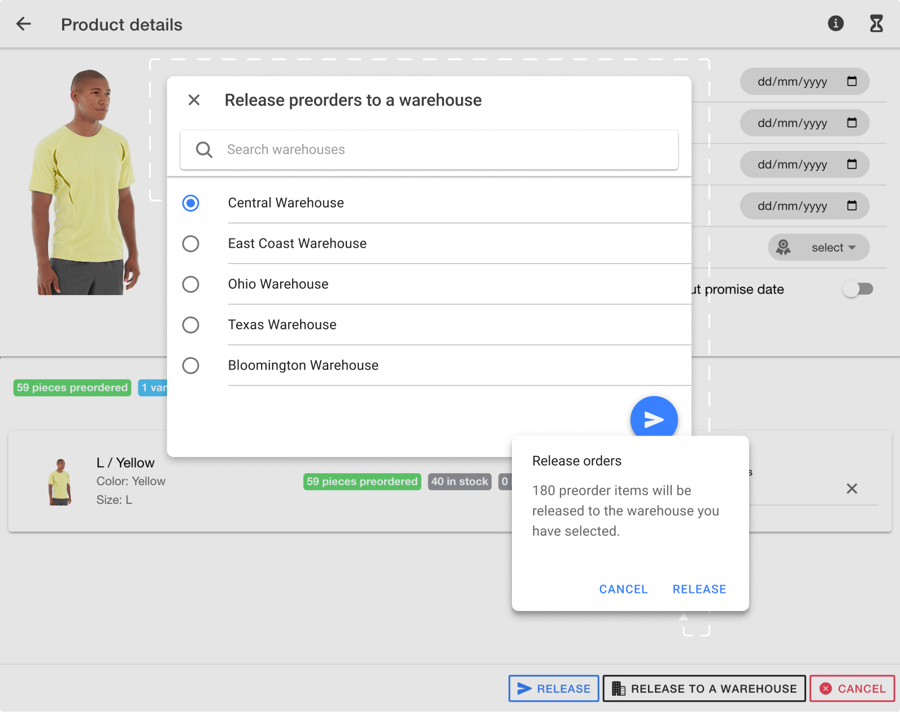
Merchants with both brick-and-mortar and eCommerce stores may have preferences regarding from where they want to ship their Pre-Orders. Added flexibility to release Pre-Orders to a specific fulfillment location lets them conveniently fulfill Pre-Order from the preferred spot.
Release Pre-Orders
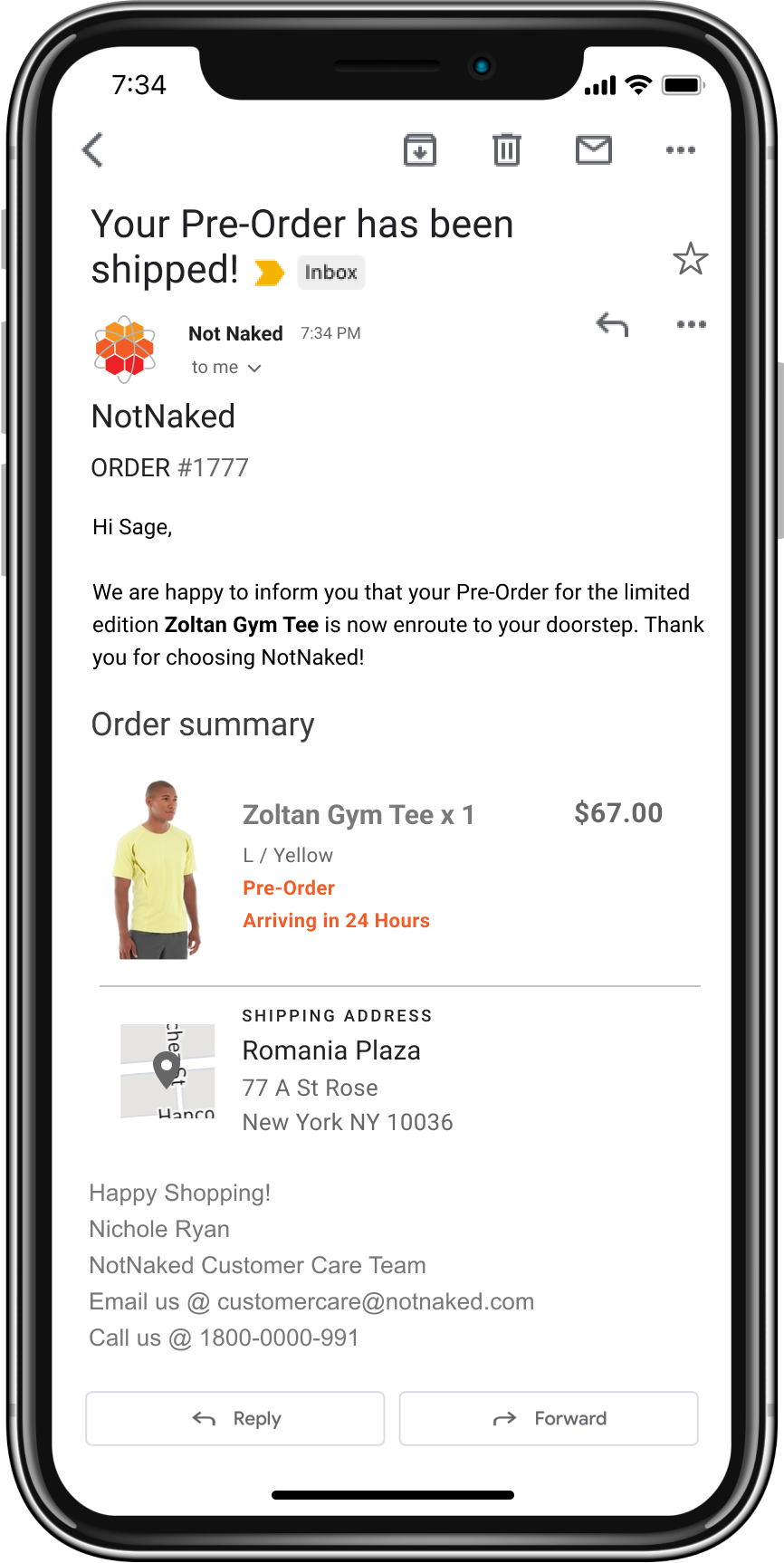
Once the released Pre-Orders are fulfilled, the automated email notification informs customers that their eagerly anticipated Pre-Order is now en route to their doorstep.
Capture Regular Orders on the Excess Inventory
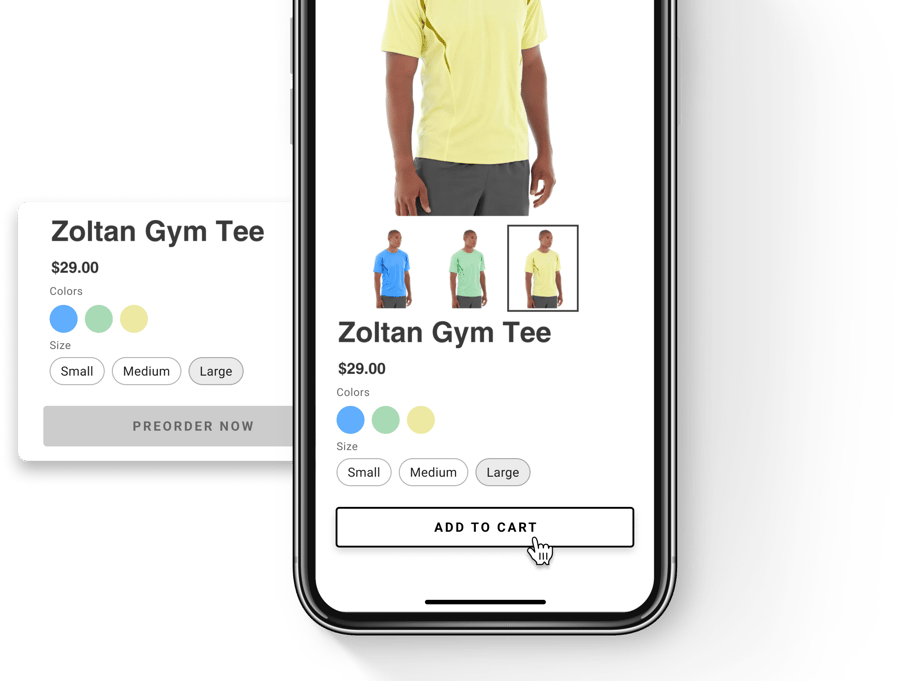
Once all the Pre-Order allocations have been made, and there’s still some inventory available, merchants can readily accept regular orders on it.
To ensure that customers are aware they are placing a regular order when a product comes into stock, the "Pre-Order” button automatically switches to the “Add to Cart” button on the product detail page.
175 S Main St Suite 1310,
Salt Lake City, UT 84111