





Headquarters
175 S Main St Suite 1310,
Salt Lake City, UT 84111

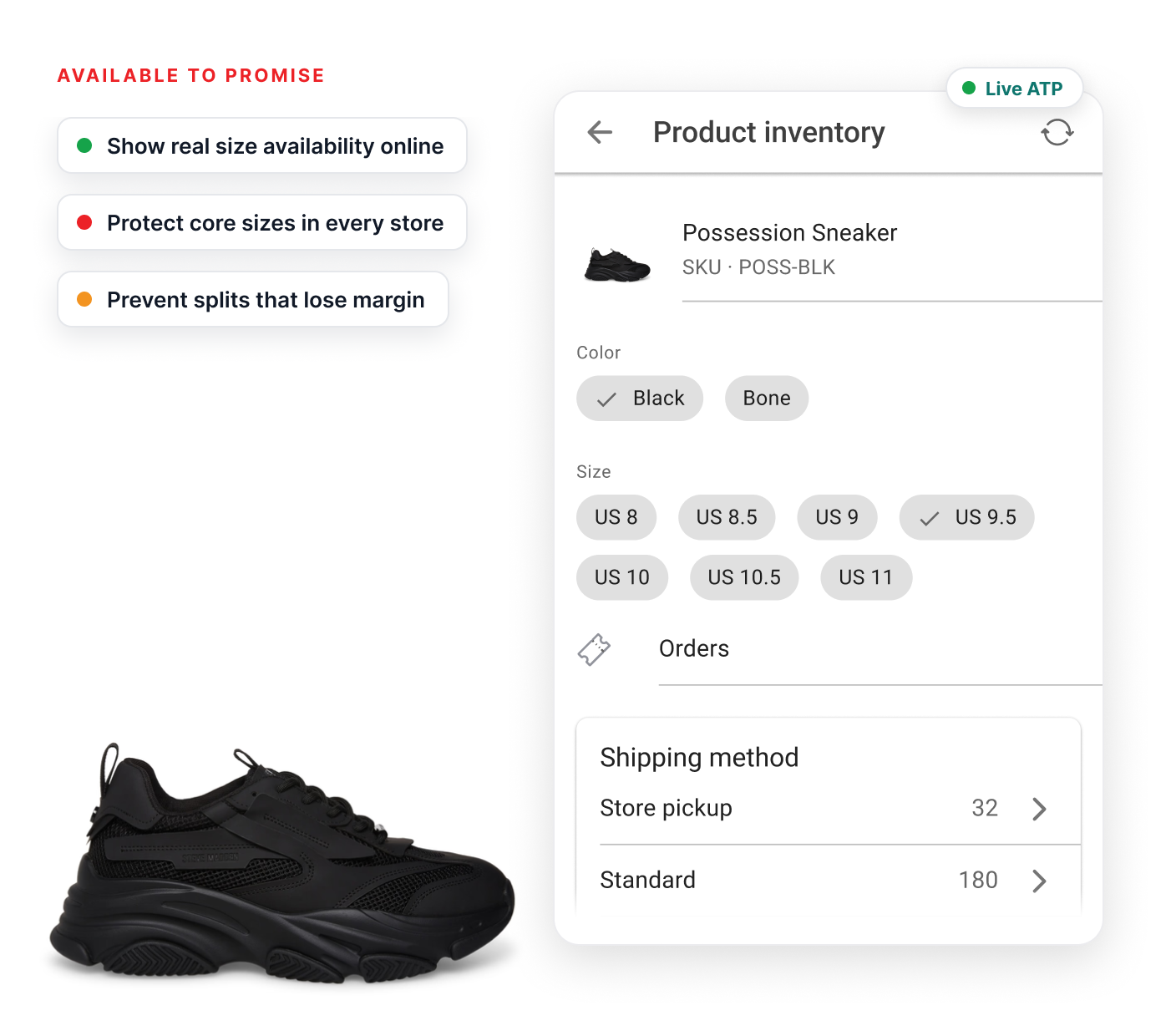
Sell more shoes without breaking size runs.
Give shoppers accurate size availability while protecting store assortments, display pairs and margin across every fulfillment decision.
Online orders can drain core sizes, while total inventory still looks healthy because edge sizes are left behind.
The last pair may be on display, tried on or scuffed and needs to be excluded from sellable inventory.
Store-only styles, pre-orders and limited drops can look like regular stock unless availability is handled carefully.
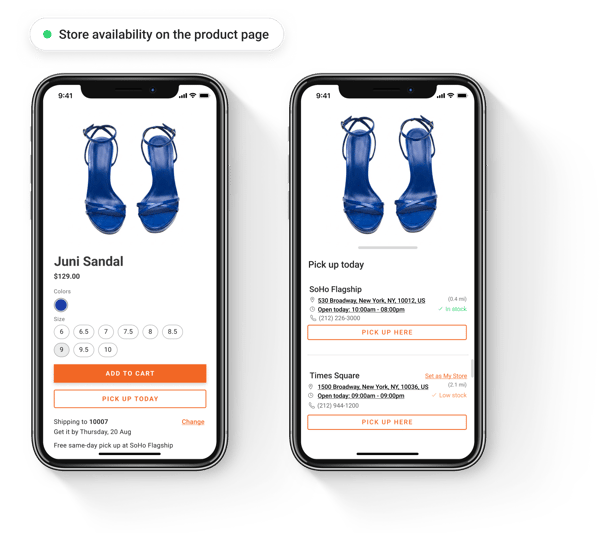
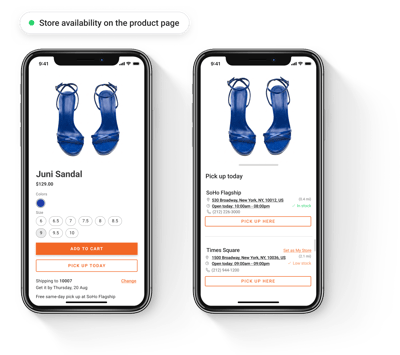
Shoppers can only reserve a size in store if PDPs shows store availability and reserve in store option.
A store may show plenty of units while the remaining sizes or colors are too fragmented to sell well.
Shipping socks, care kits, laces, or insoles by themselves can cost more than the order is worth.
Customers usually want the same style in another size, but that pair may be sitting in a different location.
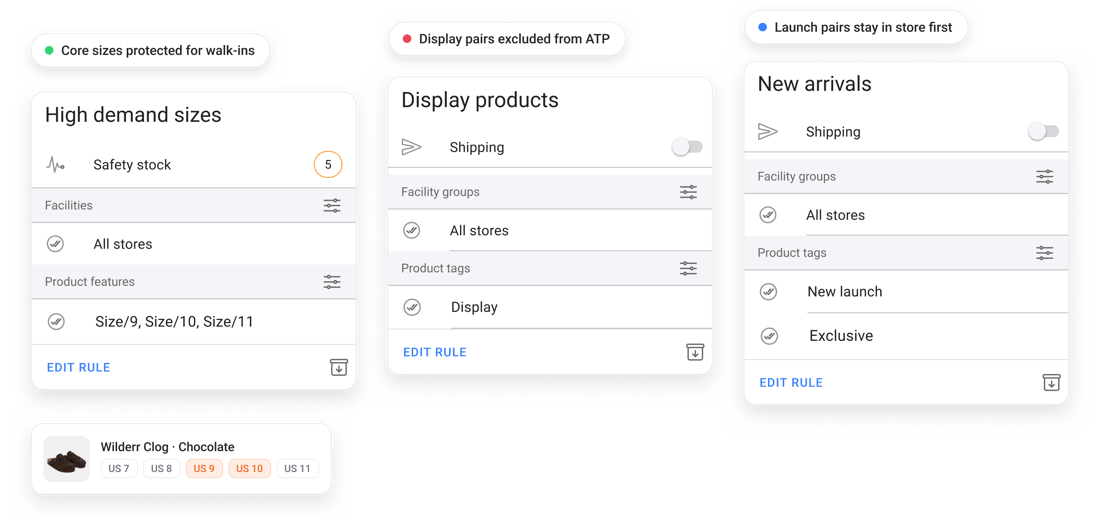
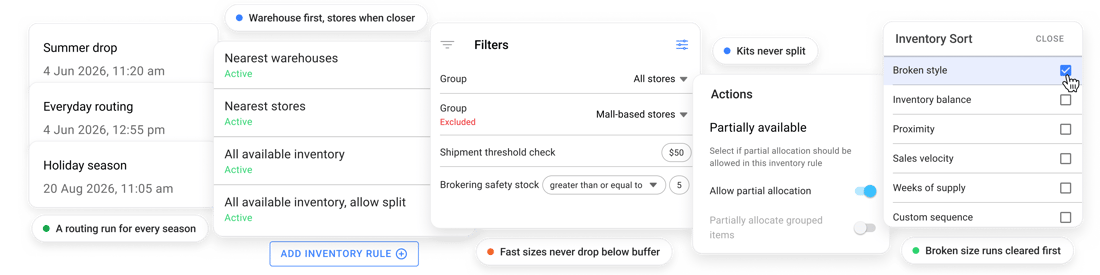
Set ATP safety stock by product and store so online orders do not drain the sizes each location needs to keep a sellable run on the floor.
Exclude display units, damaged pairs, and non-sellable store inventory from online availability using ATP rules and store inventory locations.
Use product tags and facility rules so in-store exclusives, launch pairs, outlet styles, and pre-order inventory are offered only through the right channel.
Show store availability on the product detail page and let shoppers choose a pickup location that can fulfill the size of their choice.
Control what shoppers can buy online without draining the sizes, styles, or store inventory your teams need to keep selling locally.
Route online orders to stores with broken size runs or excess inventory, while keeping complete assortments available for walk-ins.
Route selected styles or size groups from warehouses only, or exclude stores below safety stock so fast movers are not drained from the floor.
Use different routing logic for seasonal products, launch styles, outlet inventory, and markdown items.
Set minimum shipment value thresholds, keep low-value accessories and multi-pair orders together when a single shipment makes more sense.
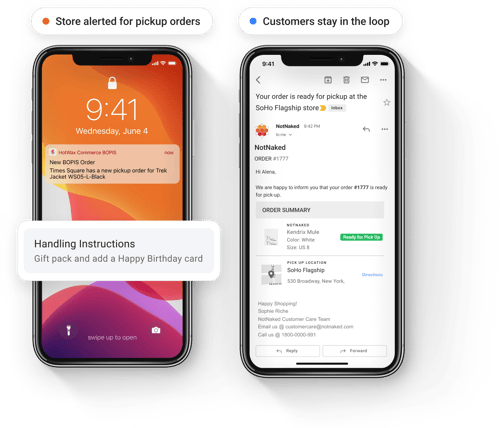
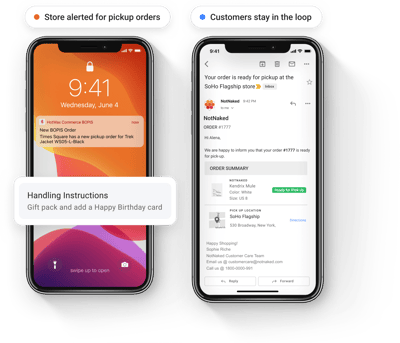
Trigger push notifications to store when a pickup order is placed, then guide associates through pick, pack, ready-for-pickup, and handover before the customer arrives.
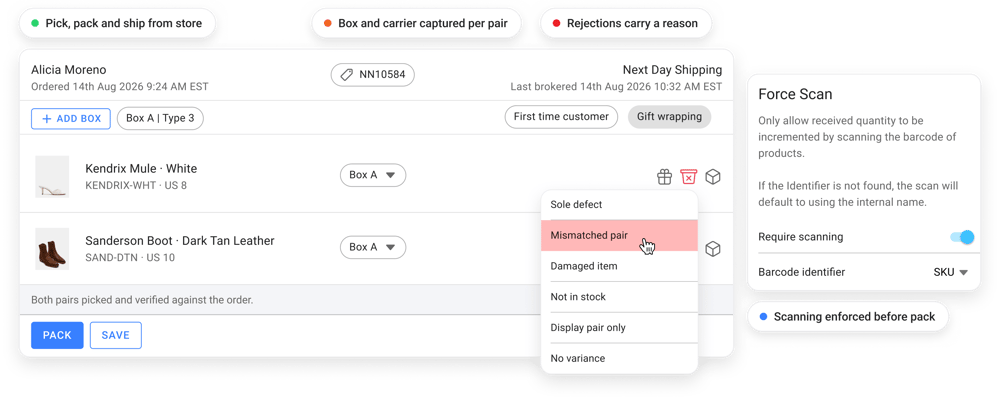
Use barcode scans and enlarged product images so associates can confirm the right style, size, width, and color before the order reaches the customer.
Give stores configurable rejection reasons such as display pair, damaged box, trial wear, mismatch, wrong color tone, or not found.
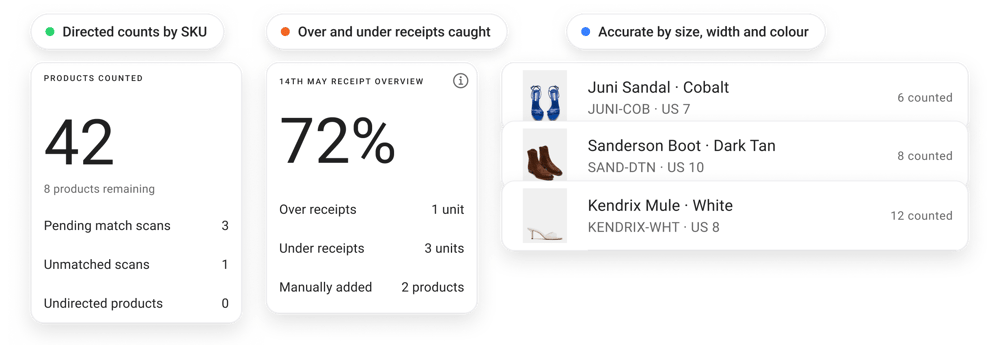
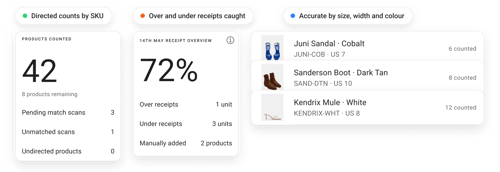
Receive purchase orders and transfers, handle over-receiving or under-receiving, run directed cycle counts so inventory stays accurate by SKU.
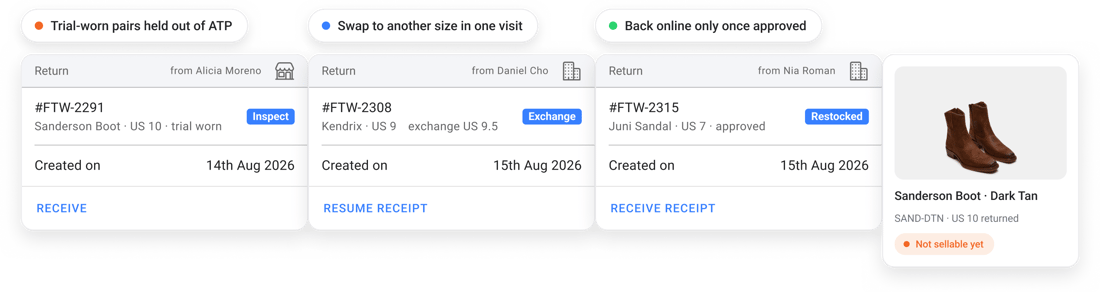
Footwear returns are often fit problems. Accept online returns in store and help shoppers exchange for another size in the same visit.
Keep returned pairs out of online ATP until approved for resale, then sync approved inventory back immediately.
Capture return reasons by item so merchandising teams can spot fit issues by size, width, or style.
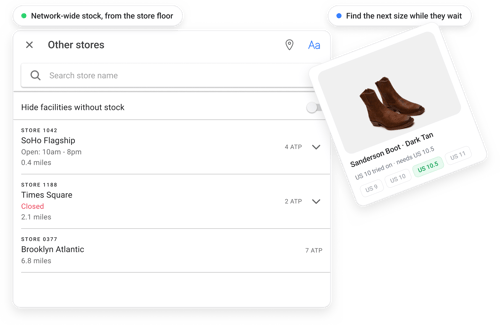
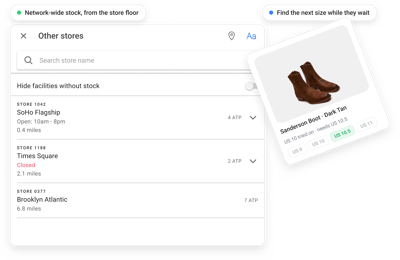
Use network-wide inventory to help associates locate another size or style while the shopper is still in the store.
We’ll help you see where size availability, display pairs, store rules, and fulfillment cost can change what should actually be promised to shoppers.
The ability to connect our vast store network across five countries to each of our Shopify sites with HotWax Commerce and their unique focus on Shopify merchants like us makes them the right choice for our company," says Elizabeth Phillips, Digital Experience and Customer Support Lead at ADOC.
Yes. Product tags, catalogs, facility groups, and routing rules can separate brands, labels, outlet lines, launch drops, and store-only collections.
Yes. Facility groups can keep premium launches in flagship stores, route markdown styles to outlet locations, prioritize warehouses, or exclude selected stores from fulfillment.
Because the shopper selected that pickup location, the order is not silently moved. The customer can be emailed options such as choosing another store or switching to home delivery.
The order can be assigned to the next eligible store or warehouse automatically, using inventory, proximity, facility priority, and promised SLA as guardrails.
Store teams can manage warehouse-to-store replenishment, store-to-store balancing, store-to-warehouse returns.
Yes. Store fulfillment can support package count, weight, labels, tracking, and carrier workflows for boots, multi-pair orders, and accessory-heavy shipments.
Book a quick 15-minute call to get a personalized demo and get all your questions answered.