
Headquarters
175 S Main St Suite 1310,
Salt Lake City, UT 84111


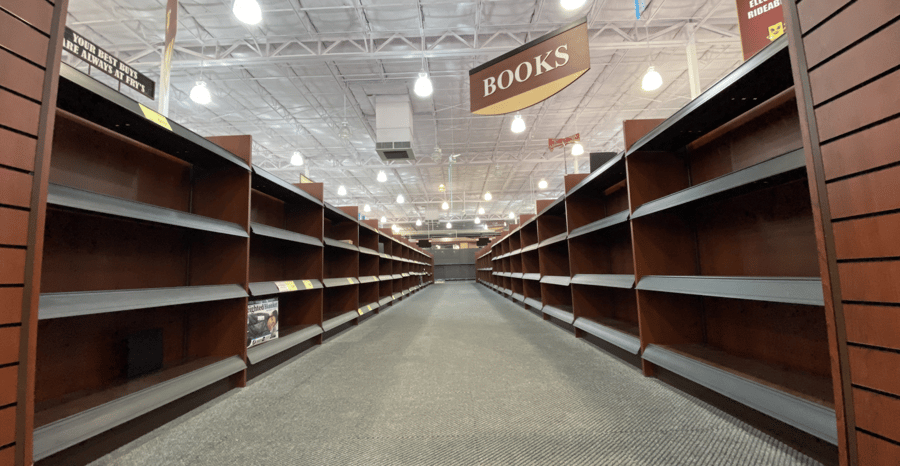
Just because a unit sits on a store shelf doesn't mean it should be sold online. That single distinction, between physical inventory and sellable inventory, is where most omnichannel oversells, cancellations, and frustrated store teams begin.
A customer walking the sales floor with a sweater in hand isn't holding "available stock." They're holding inventory that's already mid-sale. That sweater might still look available to eCommerce, until someone places an order and it routes to that same store.
This blog walks through how retailers can prevent that. It covers the difference between what's physically in a store and what's actually sellable online, and the protection rules that keep the in-store experience intact while letting stores fulfill omnichannel orders.
Physical inventory is what's in the building. It includes everything: stock on shelves, items in fitting rooms, demo units near the entrance, returns waiting to be processed, and product still being unboxed in the back.
Sellable inventory is much smaller. It's only the units a retailer is confident can be promised to a customer right now, on a specific channel, without disappointing anyone else.
The gap between those two numbers tends to widen in stores that move fast. A location with 12 units of a SKU on the floor isn't the same as a location with 12 units to sell online. Some are display, some are about to be tried on, and some are likely to walk out the door in the next hour. If eCommerce treats the full count as available, oversells follow.
When stores expose all their inventory to online channels, the problems start small and spread fast.
It usually starts with a walk-in shopper. A customer asks for a specific size, the associate checks stock, and finds the last unit was just pulled into a pickup or shipping queue. The store has to choose: pull the unit back and risk cancelling the online order, or tell the customer in front of them it's gone. Either way, someone leaves disappointed.
That pattern repeats often enough that store associates stop trusting the system. They start reserving popular items in their own spreadsheets or quietly holding stock in the back, creating a parallel inventory no one else can see. Pick rates drop because every fulfillment task feels uncertain, and the team grows more cautious about taking on omnichannel volume.
Online customers feel it on the other side. The order routing engine routes an order to a store that has the unit on record. The store can't find it. The order gets delayed, cancelled, or split, shipping costs rise and promise dates slip. Cancellations climb across the network.
The root cause isn't bad inventory counts. It's that nothing in the OMS distinguishes between physical inventory and sellable inventory.
Protection rules are the policies that decide which units are eligible to sell online and which units stay reserved for the store. You don't need all of them, but you should be able to apply them across the network and at the location, channel and product level.
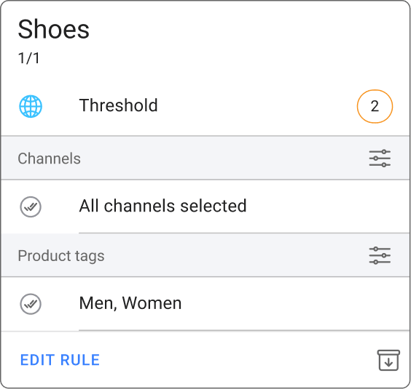
A company-wide buffer that prevents oversells across the network. The rule is simple: never expose the last few units of any SKU online, no matter which store holds them. If the threshold is set at two, the OMS reserves two units across the network before anything is shown as sellable. This protects against the timing gaps between a store sale, the inventory feed, and the eCommerce, which is where most oversells start.
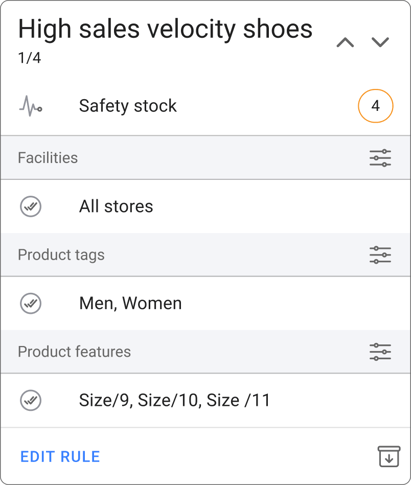
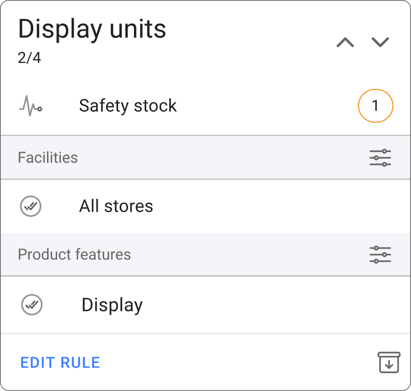
Also called safety stock. A location and product-level buffer set based on demand. Fast-selling items can carry a higher floor stock value because shoppers expect to see and touch them in store, while slow-moving or stale items can sit at zero because there's no walk-in demand to protect. Floor stock protection lets retailers tune buffers product by product, instead of applying the same blanket rule everywhere.
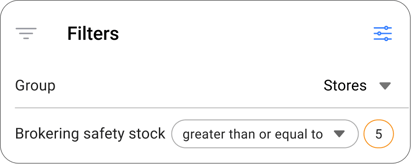
A routing logic, sometimes described as a velocity-based buffer. When the order routing engine looks at where to send an online order, brokering safety stock tells it to skip locations that hold only a few units of the SKU and pick a location with a healthier stock position. The thin store still appears in the OMS as having the item, but the routing engine doesn't pull from it. This keeps last-unit and near-last-unit stock at the store for walk-ins, and sends online orders to locations that can absorb the demand without breaking the floor.
Some units physically sit in a store but should never be sold, like display models on the wall, mannequin samples, and product-team holds. These quantities can be subtracted from total on-hand inventory so they never show up as sellable. The store still tracks them for visibility and audits, but they don't enter the available to promise (ATP) calculation.
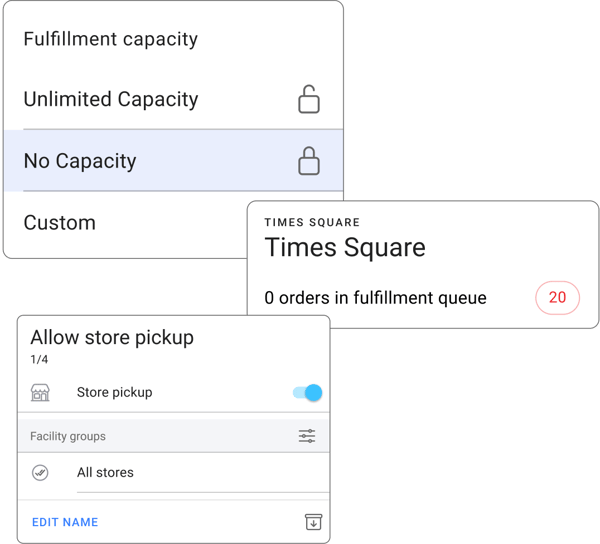
Not every store should be a fulfillment hub for every channel. A flagship store with high foot traffic might be a poor candidate for Ship From Store because the team is busy serving high-touch shoppers. A small store might be excluded from Buy Online Pick Up In Store (BOPIS) because it doesn't have the staff to process and stage pickups. Channel and location restrictions let retailers turn fulfillment on or off per store and per channel, so each location only takes on the volume it can actually handle.
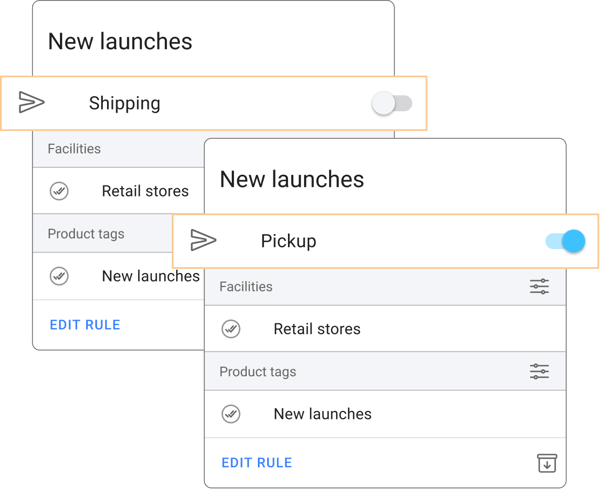
Some products call for tighter rules than others. New launches are a common example. A retailer might allow BOPIS on a launch SKU because shoppers want to come in and see it, but block Ship From Store on the same SKU so the store keeps stock on hand for walk-ins. The same logic applies to fragile or high-value items, store exclusives and promotional drops. Product-level fulfillment rules let retailers decide which products are eligible for which fulfillment types, regardless of where the inventory sits.
HotWax Commerce calculates a separate sellable inventory number for every store and every SKU. It starts with the on-hand count from your point of sale (POS) or enterprise resource planning (ERP) system, then applies layered protection rules to produce an ATP value that the eCommerce platform sees.
Retailers can configure:
The OMS then reads the protected sellable inventory number, not the raw on-hand count, when deciding what inventory to publish on eCommerce and where to route online orders. Stores stop receiving orders for units that fall under their protection rules, and eCommerce stops advertising store-level availability that doesn't exist for online sale.
The result is one consistent picture of sellable inventory across channels, with the store always treated as the first customer.
Retailers that move from raw on-hand counts to protected sellable inventory tend to see four shifts.
The goal isn't to keep inventory off the eCommerce. It's to keep the right inventory on eCommerce. Every unit a retailer holds back from online is a unit that protects a store visit, an associate's time or a high-margin in-person sale.
Protection rules let retailers do both: serve in-store shoppers without slowing down, and run a busy omnichannel operation without breaking the store experience.
If you're seeing oversells, store team friction, or cancellations that trace back to thin store stock, protection rules are usually the right place to start.
* * *
See how HotWax Commerce Order Management System helps retailers protect store inventory while scaling omnichannel sales.
Book a demo





175 S Main St Suite 1310,
Salt Lake City, UT 84111