
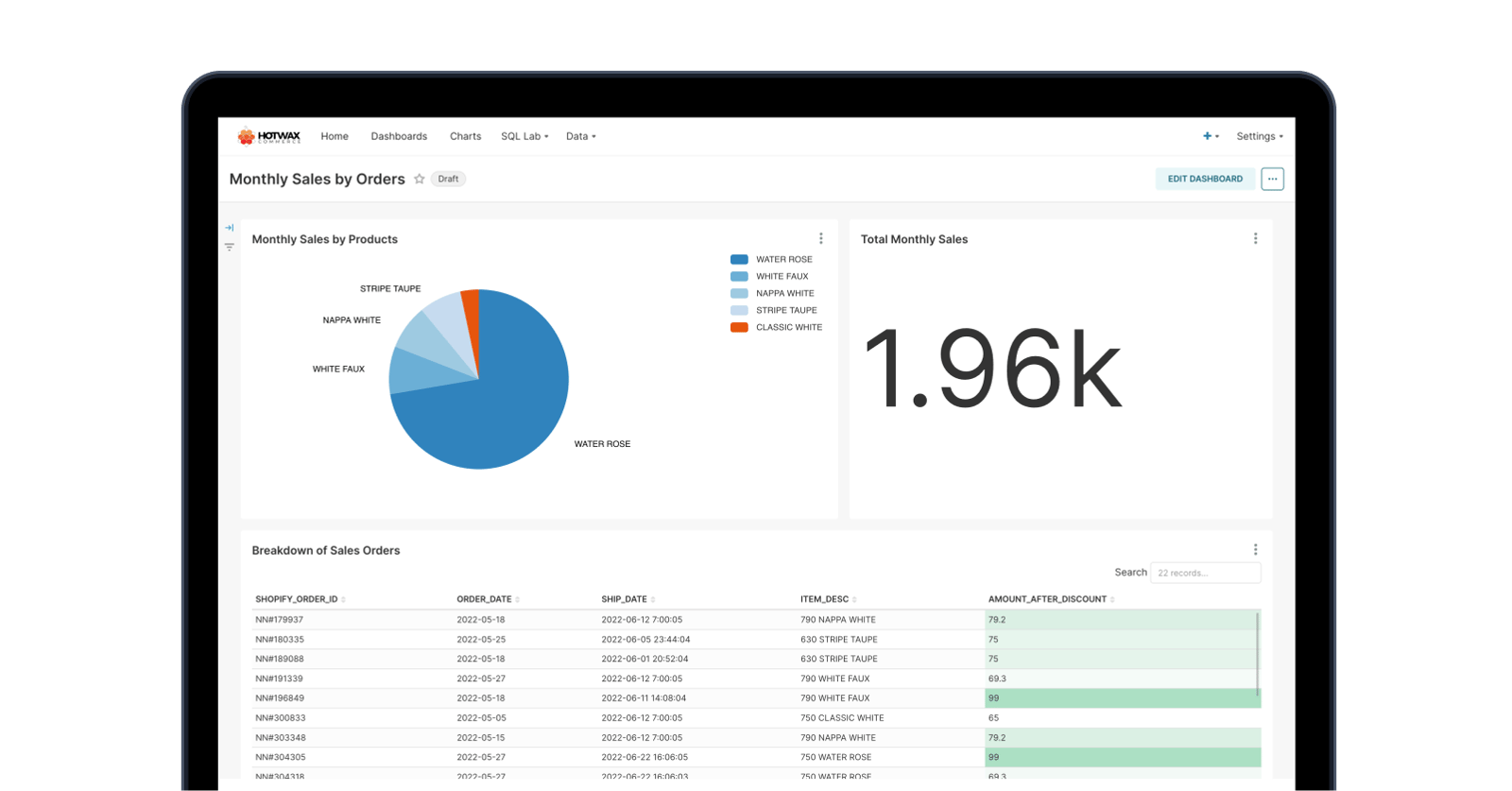
Similar to the Monthly Sales by City and State reports, retailers often need a bird’s eye view of sales by order. Retailers use this information to analyze the contribution of various orders and their order items to monthly sales.
The Monthly Sales by Order report gives a detailed breakdown of all sales orders. Retailers can use this report to forecast future demand and develop more effective sales strategies.
What the report shows
Each row is a sales order from the month, with the amounts behind it.
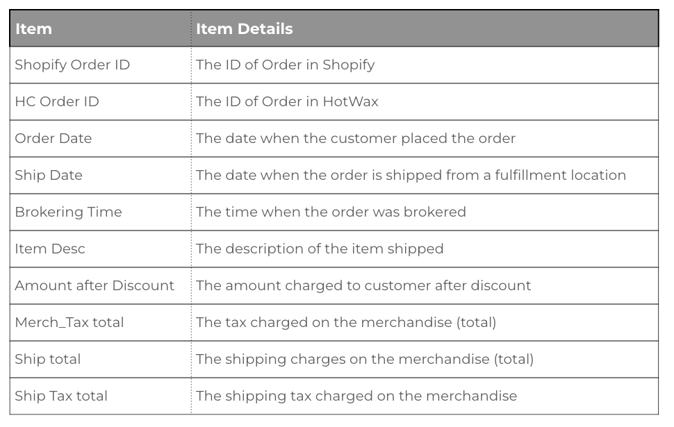
- Order references: the Shopify order ID and the HotWax Commerce order ID.
- Timing: the order date, the ship date, and the time the order was brokered.
- Item: a description of the item shipped.
- Amounts: the amount charged after discounts, the merchandise tax total, the shipping total, and the shipping tax total.
How teams use it
Retail and sales leaders use the order-level detail to understand what is behind the monthly totals, such as which orders carried the largest amounts and how discounts affected what customers paid.
Comparing the order date with the ship date shows how long orders took to leave a fulfillment location, which helps teams spot slow periods.
Finance teams use the tax and shipping columns to reconcile collected taxes and shipping charges for the month, and to answer questions about any single order without pulling records from several systems.
Looking at the same month across years helps teams plan inventory and promotions for seasonal demand.
Sorting the month by item description also shows which products brought in the most revenue after discounts, which helps merchandising decide what to feature or restock for the same month next year.
The Monthly Sales by Order Report is one of the pre-configured reports in the HotWax Commerce BI report library, which covers demand and sales, fulfillment, pre-orders, returns, and more.
User
Vice President of Retail, Vice President of Sales
Glossary